Tailor a Resume to a Job Description Without Rewriting
 Gowri Shanker·Sep 29, 2026
Branching rewrites parts of your resume for you. I wrote this feature, and I still read every line it hands back before I'd send it to anyone, because the rewrite only knows what you already typed. If that trade sounds bad to you, stop here and edit by hand.
Here is the job it does. You have one resume you like. A new posting shows up. Branch for a New Job takes that resume, takes the posting you paste in, and gives you a version aimed at that one role. It's how you tailor a resume to a job description in AceDraft without opening a blank page.
Key takeaways
- Branching makes a new resume. The one you started from is not changed. On 2026-09-16 I watched the account go from 16 resumes to 17, with the original sitting untouched in the grid.
- You fill in three things: job title, company name, and the posting itself.
- Six templates are selectable in the dropdown, counted on screen on 2026-09-16.
- The rewrite cannot add anything that is not already in your resume or the posting. Everything you did and never wrote down stays missing.
How do I tailor a resume to a job description in AceDraft?
Open the resume you want to start from, click Branch for New Job, paste the posting into step three, and click the button at the bottom. That's the whole flow: three numbered steps and one button.
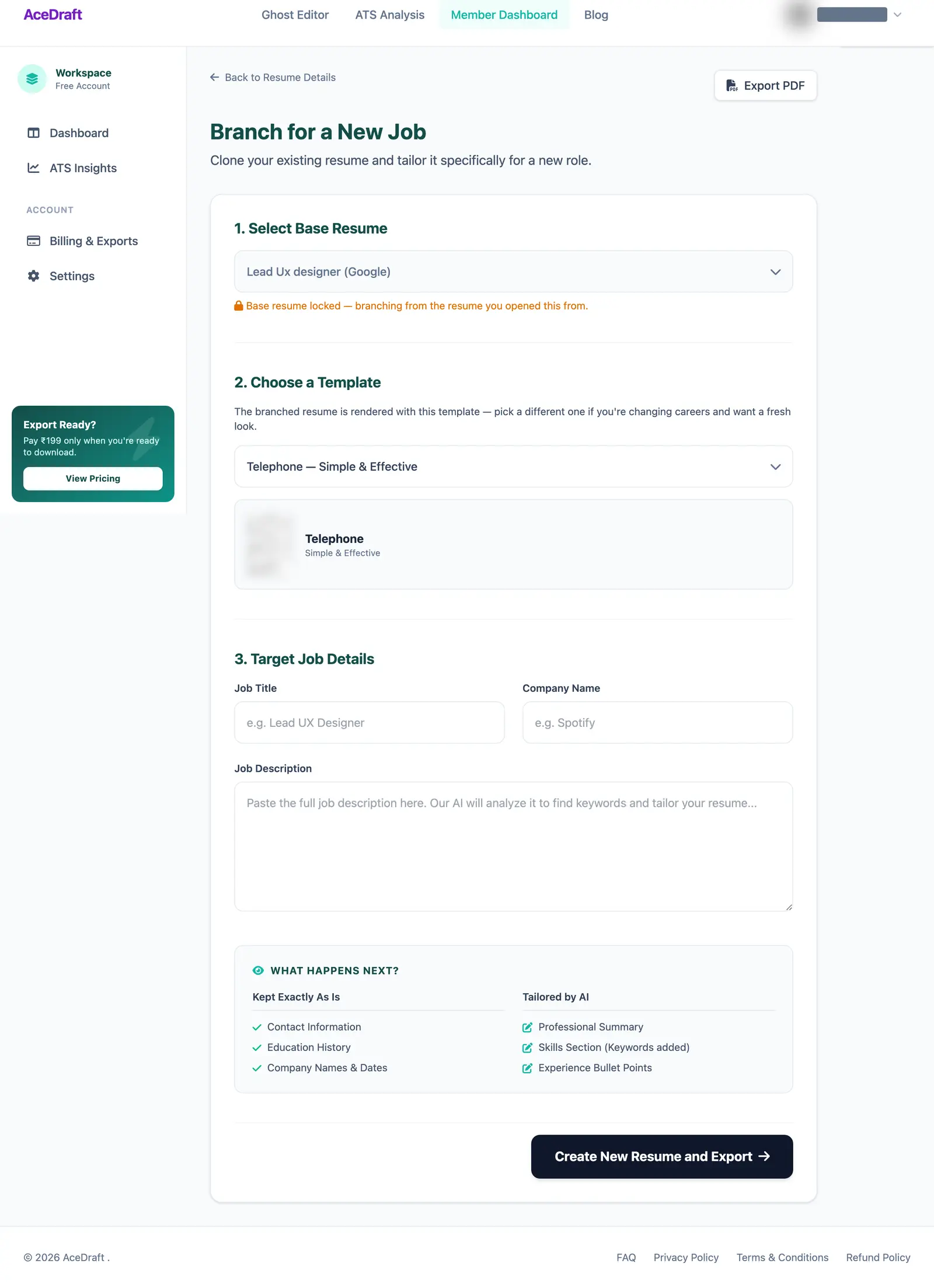 Steps one and two are usually already decided for you. Step three is the only part you type.
Step one, Select Base Resume, was greyed out when I got there, with an amber padlock note reading “Base resume locked”. I had arrived from a resume's own detail page, so the page already knew which resume I meant. It looks broken for a second before you read the note.
Does branching change my original resume?
No. It creates a second resume and leaves the first one alone. I checked that by counting, not by reading the code: before the run the dashboard said 16 resumes, after the run it said 17, and the resume I branched from was still there.
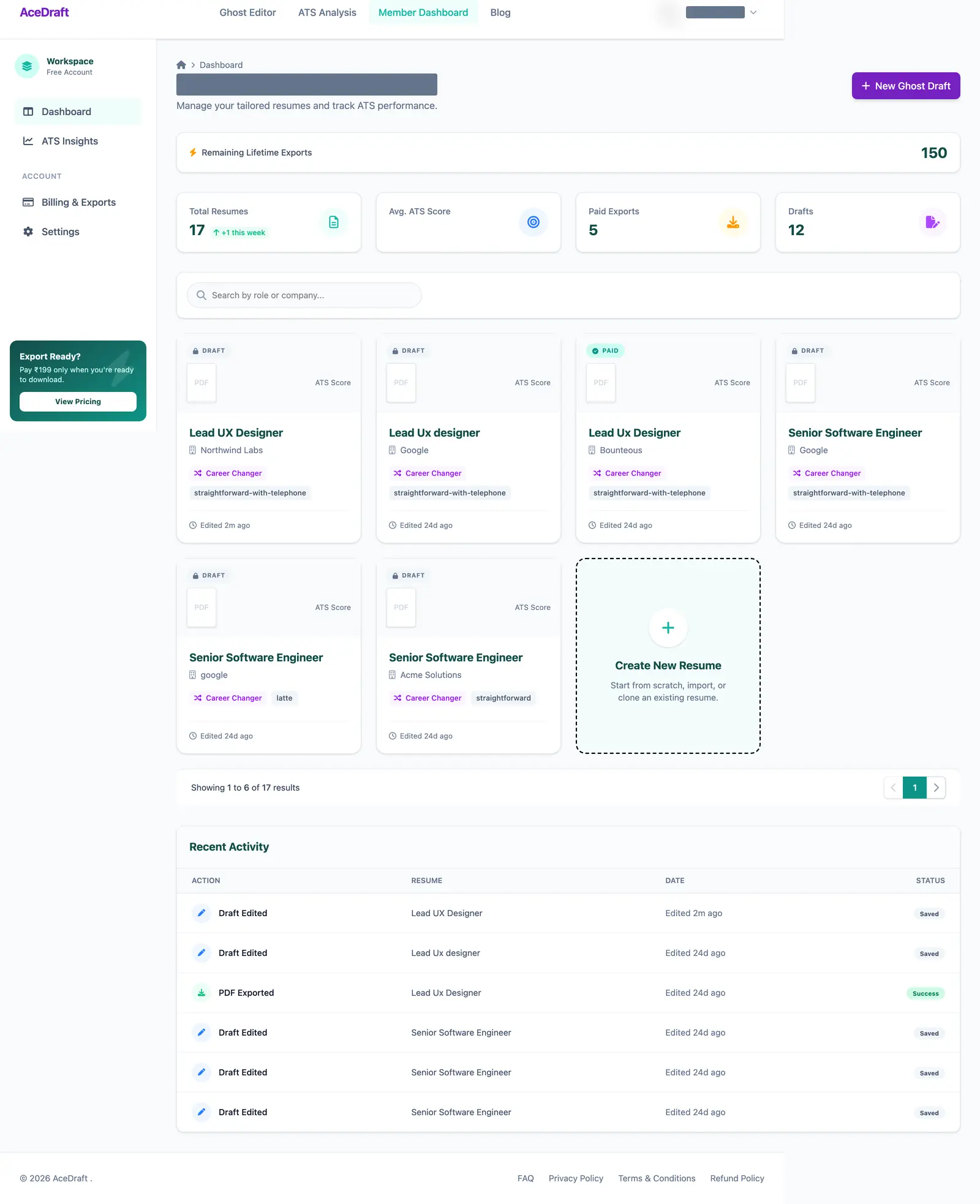 The count went 16 to 17 on 2026-09-16. The resume that was branched from is still in the grid, unchanged.
The new resume arrives as a Draft, named from what you typed. Mine came out as “Lead UX Designer / Northwind Labs”. So the two fields in step three are also your filing system.
What does branching rewrite, and what does it leave alone?
The form tells you before you run it, in a two-column panel headed WHAT HAPPENS NEXT? Here is the same split, with the limits in the same table:
| Part of the resume | What branching does to it |
| Contact information | Kept exactly as is |
| Education history | Kept exactly as is |
| Company names and dates | Kept exactly as is |
| Professional summary | Rewritten by the AI for the role you pasted |
| Skills section | Rewritten, with keywords added |
| Experience bullet points | Rewritten |
| Work you never put in the resume | Not added. The rewrite only sees your resume and the posting |
| The resume you branched from | Not touched. A separate resume is created instead |
Read the bottom half twice. Your titles and dates survive. Your bullet points do not survive word for word, and that is the part to check.
What do I put in the three job fields?
Job Title, Company Name, and the posting text. Paste the whole posting, not a summary of it, because the responsibilities and requirements are where the wording lives. If you're applying in the UK and calling it a CV, nothing changes here; the fields are the same.
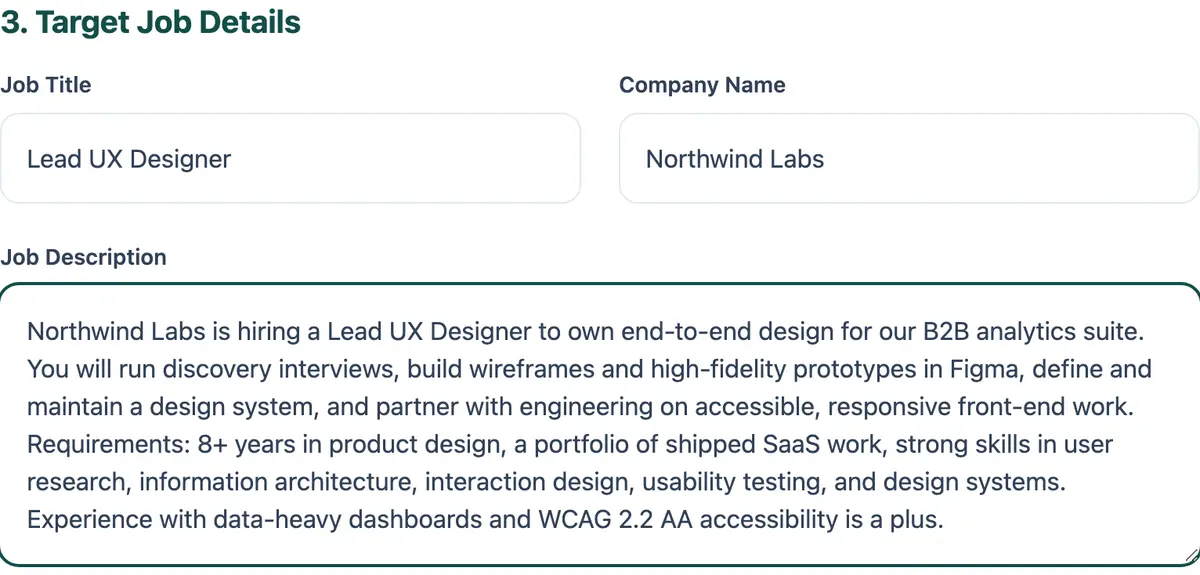 The posting here is a fictional one written for the screenshot, so no real employer's text is on screen.
Which template should I pick?
Whichever one you already use, unless you have a reason to switch. The dropdown showed seven entries on 2026-09-16: one placeholder that reads “Select a template…”, and six real ones called Engineer, Americano, Paper, Telephone, Straight Forward and Evened. Mine defaulted to Telephone, and a preview card under the dropdown shows what you're choosing.
That list is meant to stay in step with the free editor's, though I did not re-count the editor's dropdown on 2026-09-16. So if you built your first resume in the guest editor with no sign-up, most of these names should look familiar.
What happens while the branch runs?
You get a progress bar, not a frozen screen. The page keeps an open connection to the server, so the percentage is pushed to you as it moves. The first thing it says is “Starting…” at 0%, and the create button turns grey and reads “Branching… →” so you can't fire it twice.
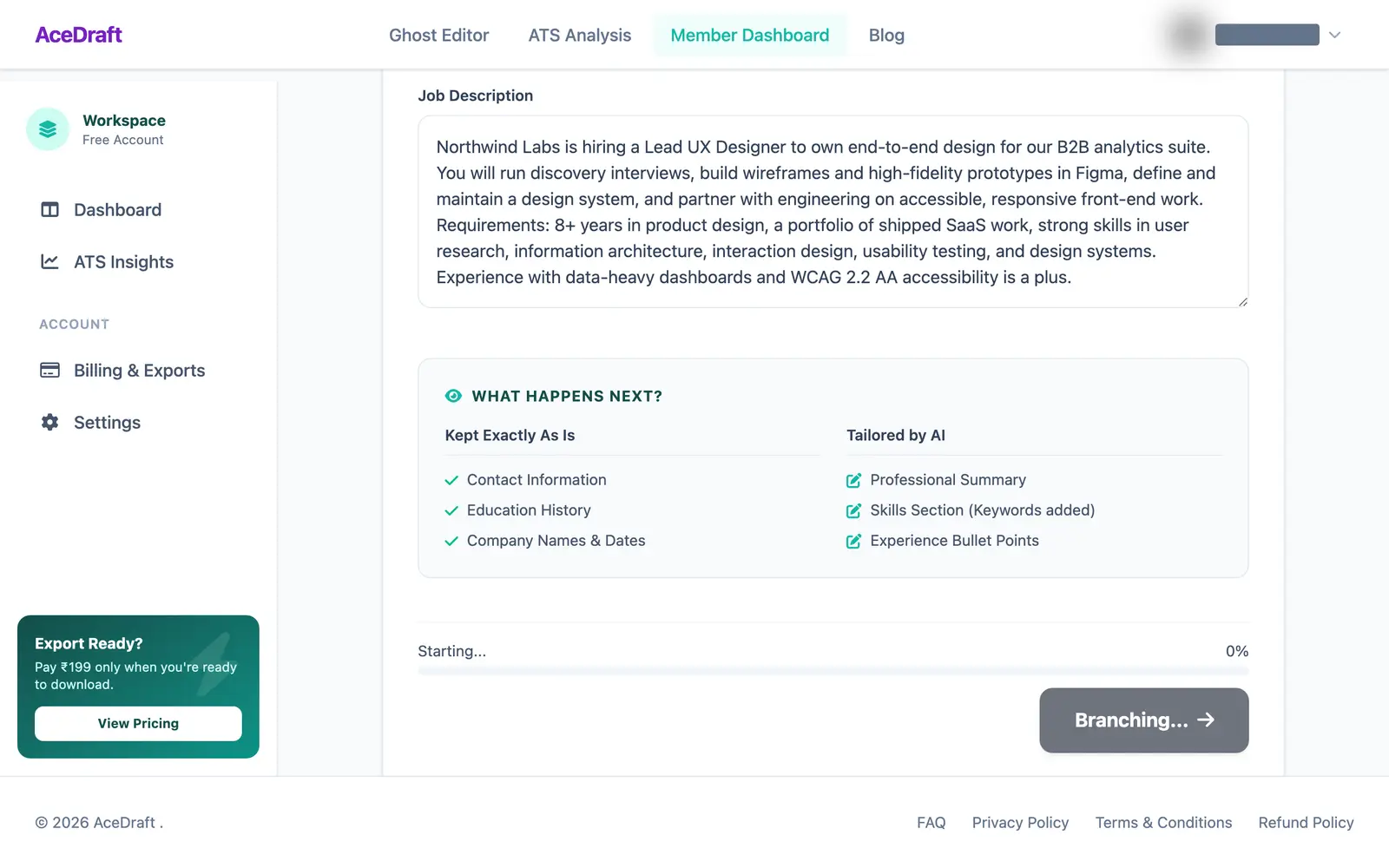 The percentage moves on its own. Reloading the page is the one thing not to do here.
How long? One run I timed on 2026-09-16 took about ten and a half seconds from click to finished. That's one run on one machine, so treat it as a sense of scale and nothing firmer. Long enough to look away, short enough that you should not.
When it finishes, it drops you on the export page for the new resume. Landing there does not export anything on its own. You still click the button. Getting the file out as a PDF is a separate step, and it spends an export credit.
Heads up. The run can fail. This screen has an error state and a notice line, but neither triggered on 2026-09-16, so I cannot show you a failure or promise what it leaves behind. If yours fails, check the dashboard count before running it again.
What can the rewrite not know about you?
Anything you did not write down. The AI sees two things: your existing resume, and the posting you pasted. It does not know that the project in bullet three was really yours, or that you shipped something last month worth leading with. It will rephrase what is there, and it will leave out your best material because you left it out first.
So the instruction is the boring one. Open the branched resume, read it top to bottom, and fix the bullets that no longer say what you did. The new resume also gets scored. Before you read anything into that number, it's worth knowing what the ATS score does and does not measure.
Author's take. The button says “Create New Resume and Export →”, and I now think that's one promise too many for one button. It makes the export feel like part of the rewrite, when it's a separate decision you can walk away from. The locked dropdown has the opposite problem: it does the right thing and looks wrong doing it. Both are on my list.
Use this if you have a resume you like, a posting open in another tab, and ten minutes afterwards to edit what comes back.
Skip this if you have nothing in the account yet, or you want exactly one master resume. Every branch adds a row, and the count on your dashboard goes up each time.
Comments
No comments yet. Be the first to comment.