ATS Score Meaning: How to Read Your AceDraft Scan
 Gowri Shanker·Sep 23, 2026
An AceDraft ATS score is a number out of 100 produced by AceDraft's own model when you hand it one PDF resume and one job description. Before you read yours, here is the part I would rather say first: four of the five rows in the Score Breakdown are not scoring anything yet. In the build I captured on 2026-09-14, Hard Skills and Soft Skills returned "not scored" on every scan, Formatting and Content Quality are labelled "coming soon" by the component itself, and Job Title Alignment is the only component that produced a value. So what your ATS score means today is narrower than the screen suggests, and this page is about reading it honestly anyway.
Key takeaways
- Job Title Alignment is the only live score component as of the 2026-09-14 build. Hard Skills, Soft Skills, Formatting and Content Quality render in the UI but score nothing.
- Filling in the optional job title field can flip the headline from 0 / 100 POOR to 100 / 100 STRONG on the identical resume and job description. I show both screenshots below.
- Signed-out visitors get 15 full scans per day. Any signed-in account, free or paid, is unlimited.
- This number is AceDraft's model. It is not a reading from Workday, Greenhouse, Lever, Taleo or iCIMS, and I have not submitted anything through those systems to check.
- I am not publishing a "good score" threshold, because there is nothing behind one.
What do you need before you start?
A resume as a PDF under 10 MB, and the text of a job posting you can paste. The page states both constraints under the drop zone: PDF only · Max 10 MB.
No account, no card. The scanner at /atsanalysis is public. The same component also runs at /pro_area/atsanalysis and /enterprise/atsanalysis. Two things change once you are signed in: the paid upsell panel is hidden (ats-analysis.component.ts:150), and the screen sits inside the app sidebar. Every screenshot on this page was captured signed out, so you will not see either difference below.
Step 1: Open the scanner and look at what it asks for
Go to /atsanalysis. Two columns: a resume drop zone on the left, a job description box on the right, and nothing happens until both have content.
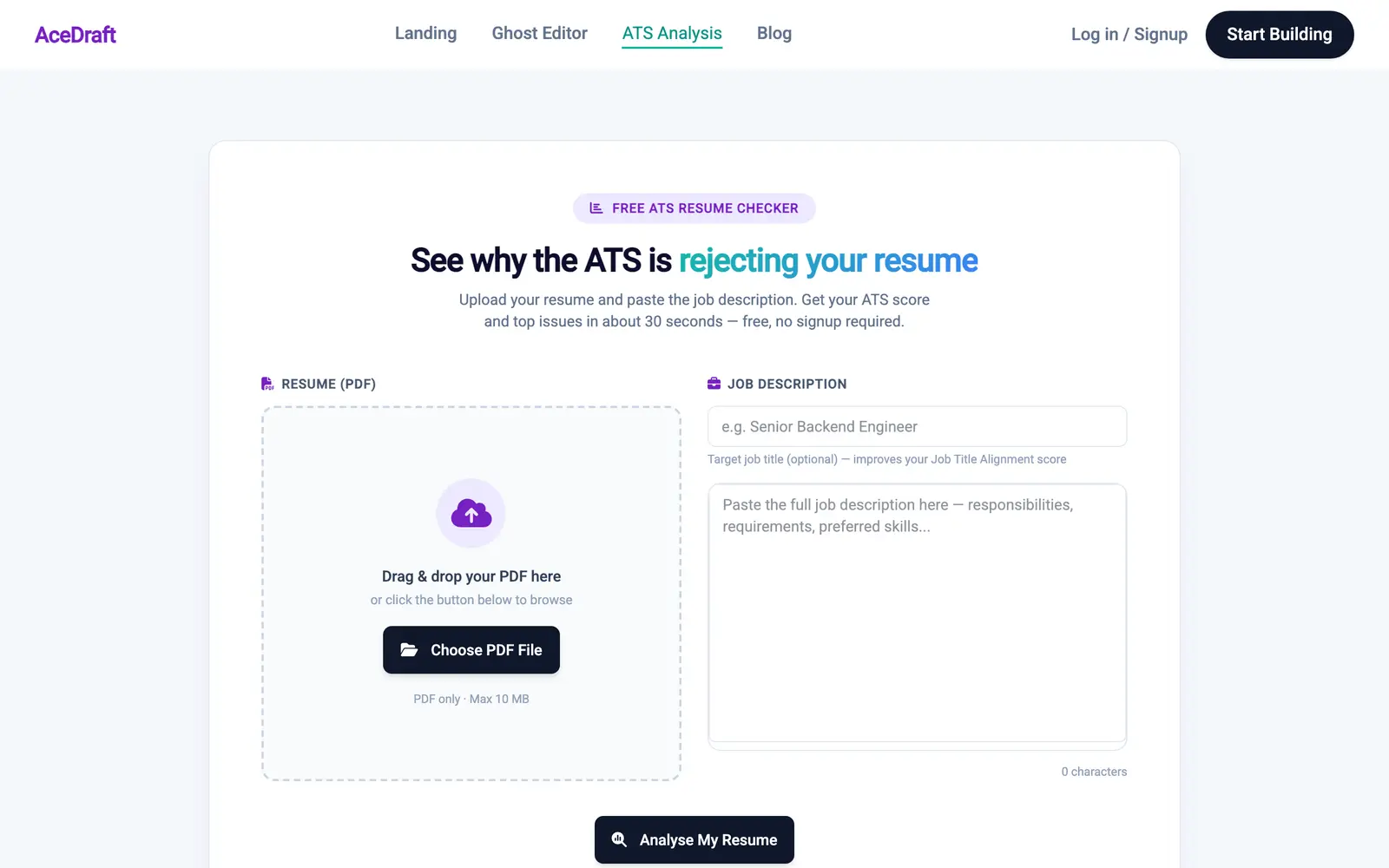 The helper text under the job-title field is the most load-bearing sentence on this screen, and it is set in small grey type.
Step 2: Attach the PDF
Click Choose PDF File or drop a file on the dashed area. The drop zone swaps for an attached-file card showing the file name, its size, and a green Ready to analyse chip.
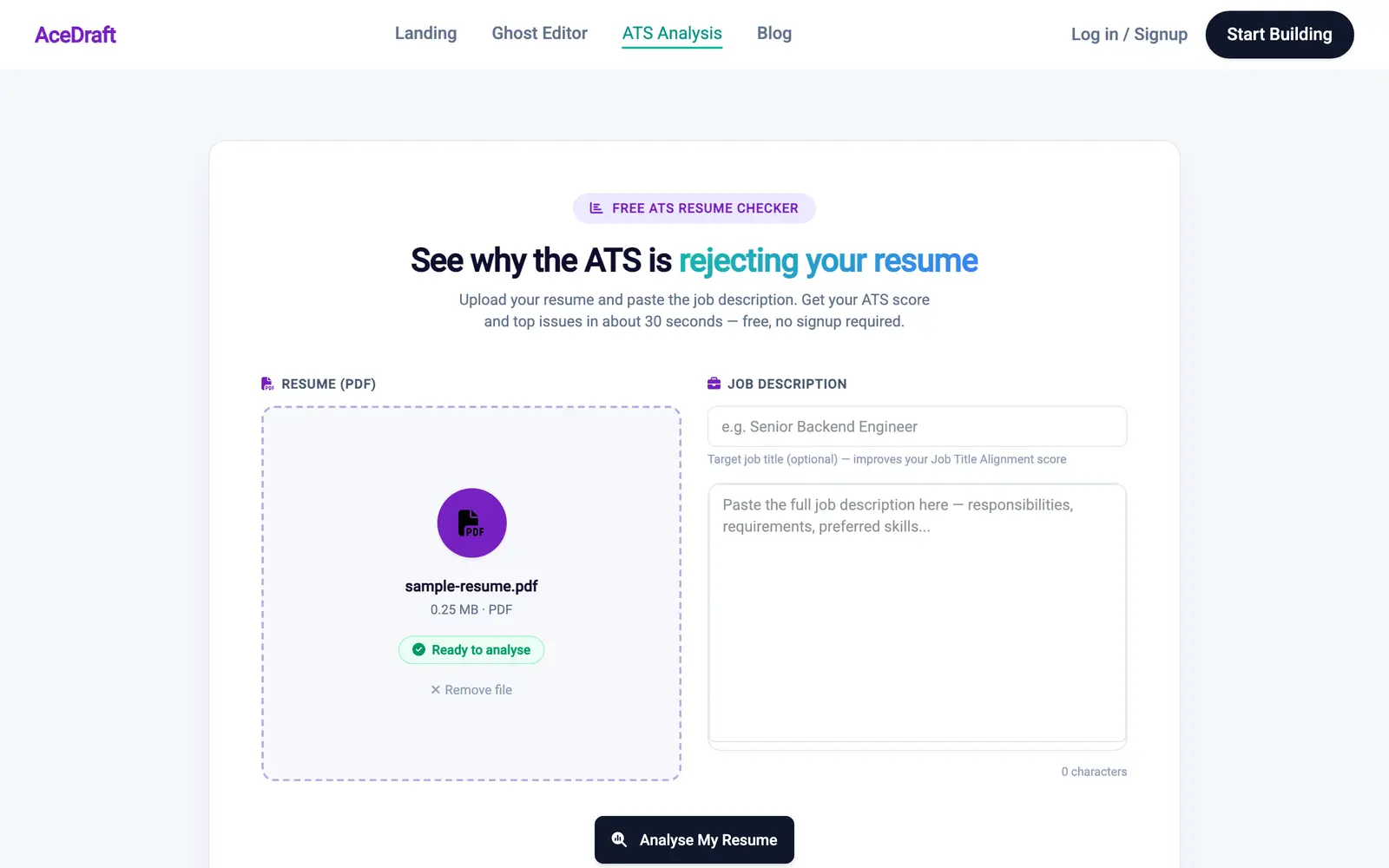 "Ready to analyse" refers to the file it sits next to. The Analyse button still wants a job description before it will do anything.
Step 3: Paste the job description, and fill in the job title
Paste the whole posting into the textarea, then type the role into the job-title field above it. That field is marked optional. Fill it in anyway, for reasons that will be obvious in step 5.
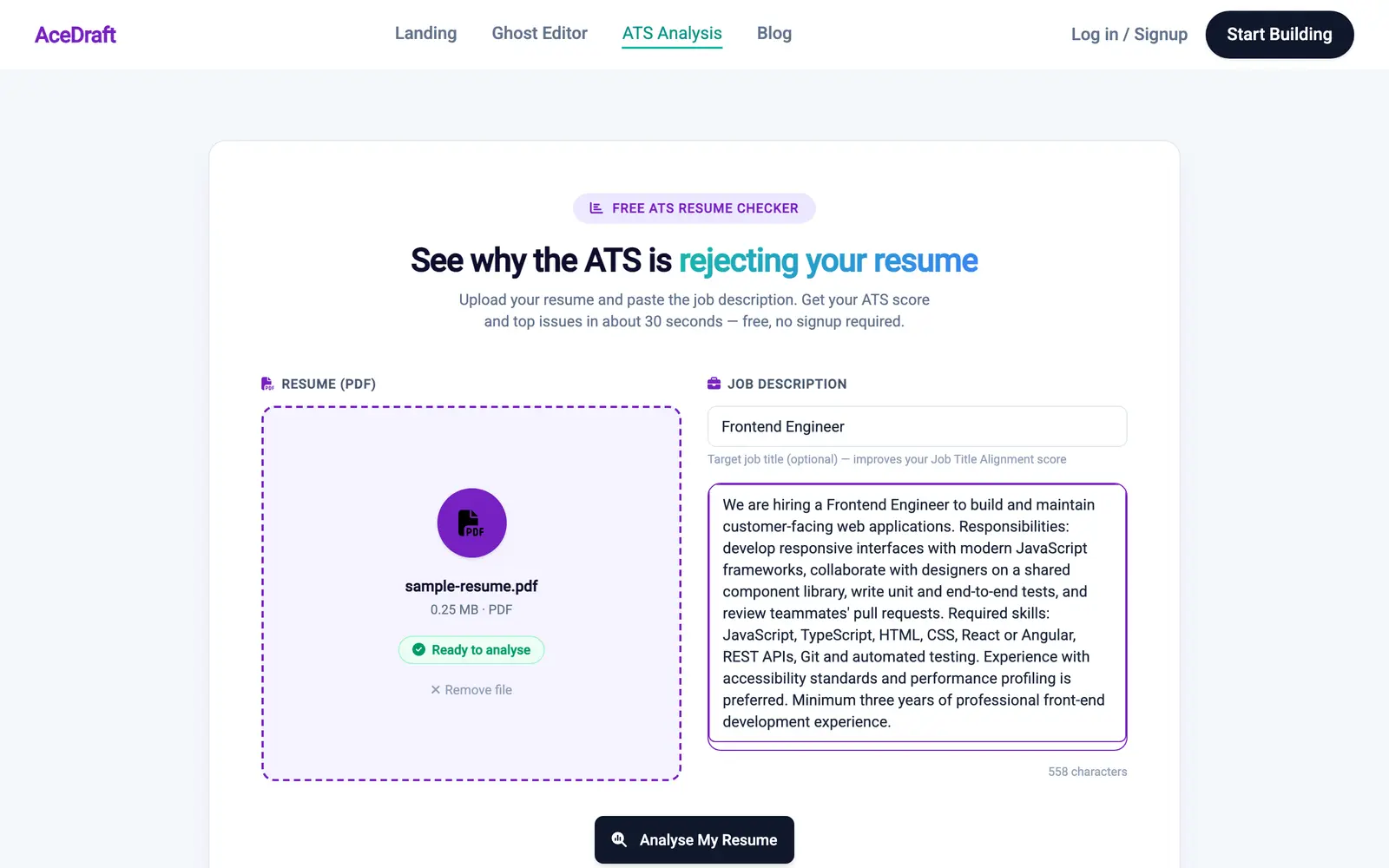 This is the exact input behind every result screenshot on this page: one 558-character posting, one sample PDF.
Step 4: Read the headline number with suspicion
Click Analyse My Resume and the result screen replaces the form. The top of it gives you an Overall ATS Score out of 100 with a word attached, a keywords card, and a readability card.
The scan above returned 100 / 100, STRONG. It should not have. Look at the keywords card in the same screenshot: Keywords Matched 0, Out of 0 identified. Keyword extraction pulled nothing out of a posting that names eight technologies by name, so nearly every component had no data to score, and the composite was averaged over the one component that did.
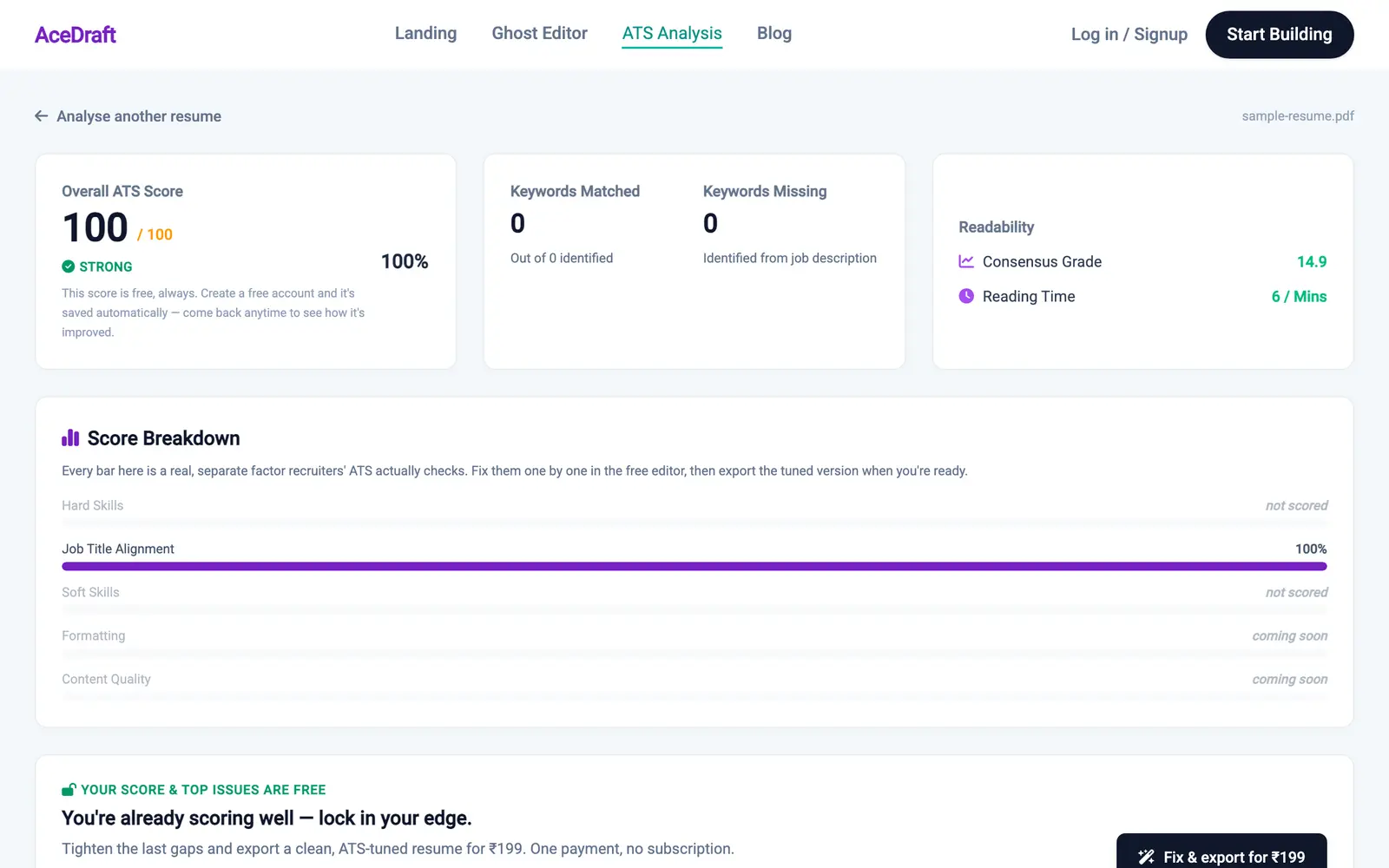 A degenerate result, not a typical one. Zero keywords were extracted, so the headline is an average of a single row and the screen does not warn you about it.
What does each row of the Score Breakdown measure?
Only one of the five rows measures anything today. Job Title Alignment is fed by the optional job-title field, which is what the helper text under that field tells you: "improves your Job Title Alignment score". It is the row driving the bar in the crop below.
The other four are placeholders you can see:
- Hard Skills and Soft Skills depend on keyword extraction. Extraction returned zero terms on all three scans I ran, so both rows rendered "not scored" every time. I have no screenshot of either row carrying a number, because I never produced one.
- Formatting and Content Quality are hardcoded "coming soon". Nothing there is broken. The code behind those two rows is simply unwritten.
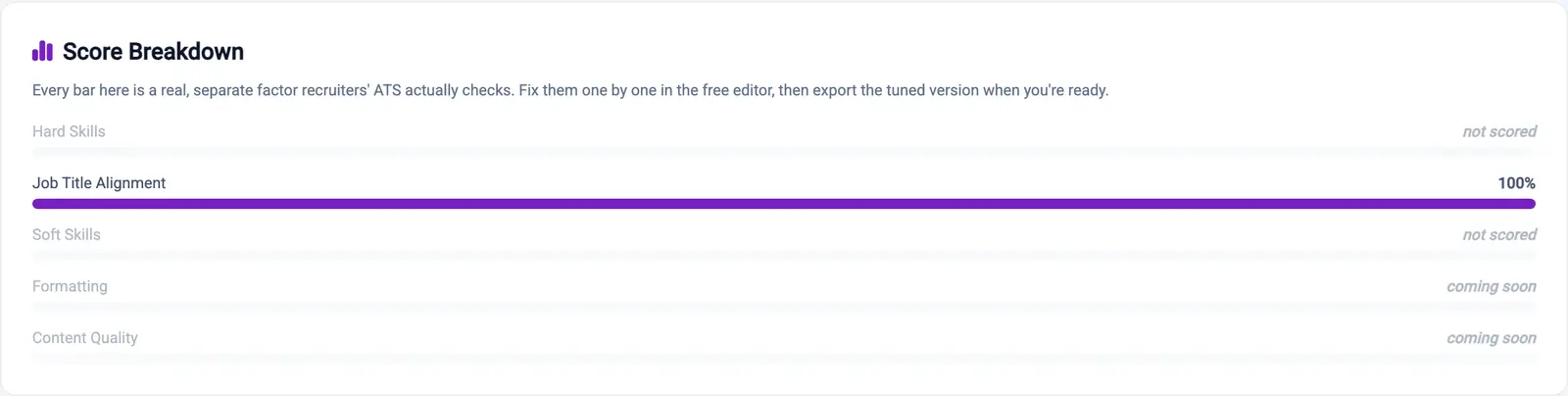 One bar out of five carries colour. The card's own strapline claims every bar is a real, separate factor, which is a promise about the roadmap written in the present tense.
Why does leaving the job title blank change the score so much?
Because the overall score is normalised over the components that actually produced a value, and right now that set is often one item long. Leave the optional job title blank and Job Title Alignment goes to "not scored" too, which leaves nothing to average.
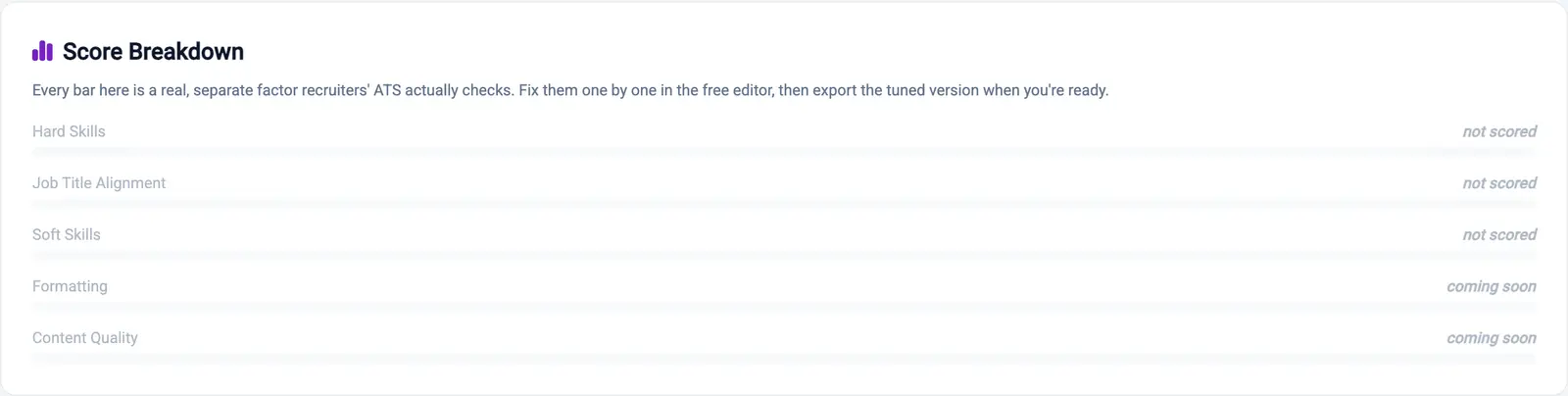 Same PDF, same posting. The only change is an empty optional field, and now every row is unscored.
The headline for that run came back 0 / 100, POOR, with a 422 from the scoring endpoint. The amber line under the dial is the one piece of honesty in this flow, and it only appears on the failing side.
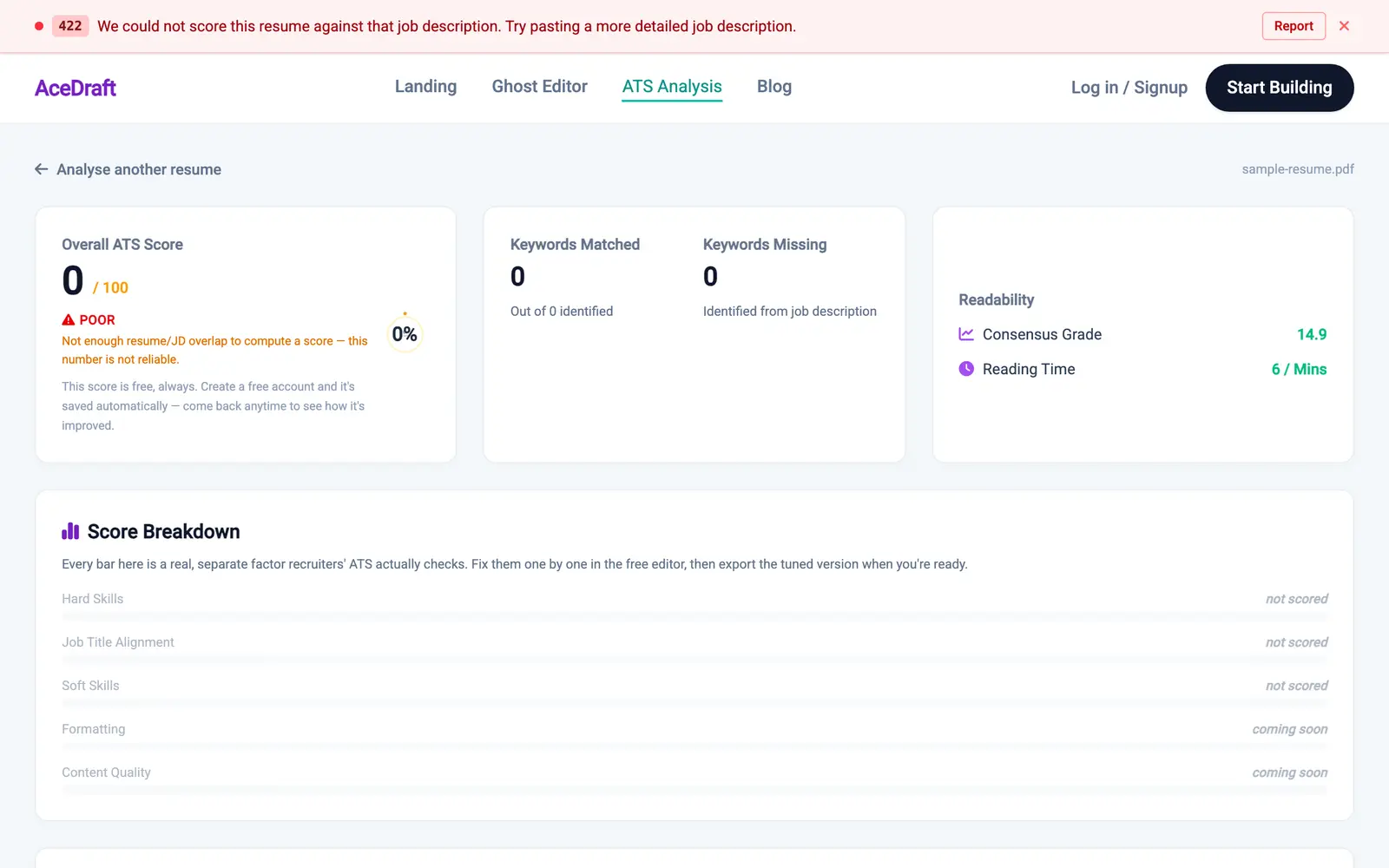 The red banner at the top is the Angular dev-server overlay and would not appear like that in production. The 0 / 100 underneath it is real. Note that the 100 / 100 run got no equivalent caveat.
Heads up. Treat any current AceDraft score as a report on which components had data, not as a rating of your resume. A 100 can mean one row scored well. A 0 can mean no row scored at all.
Step 5: Scroll past the score
Below the breakdown sit the upsell panel, an optional "Want the full report by email?" card, the matched and missing keyword lists, and your pasted job description with an Edit JD link for re-running against the same posting. On my scans both keyword lists were empty, and the missing-keywords card cheerfully read "All keywords are present in your resume!" because it had none to miss.
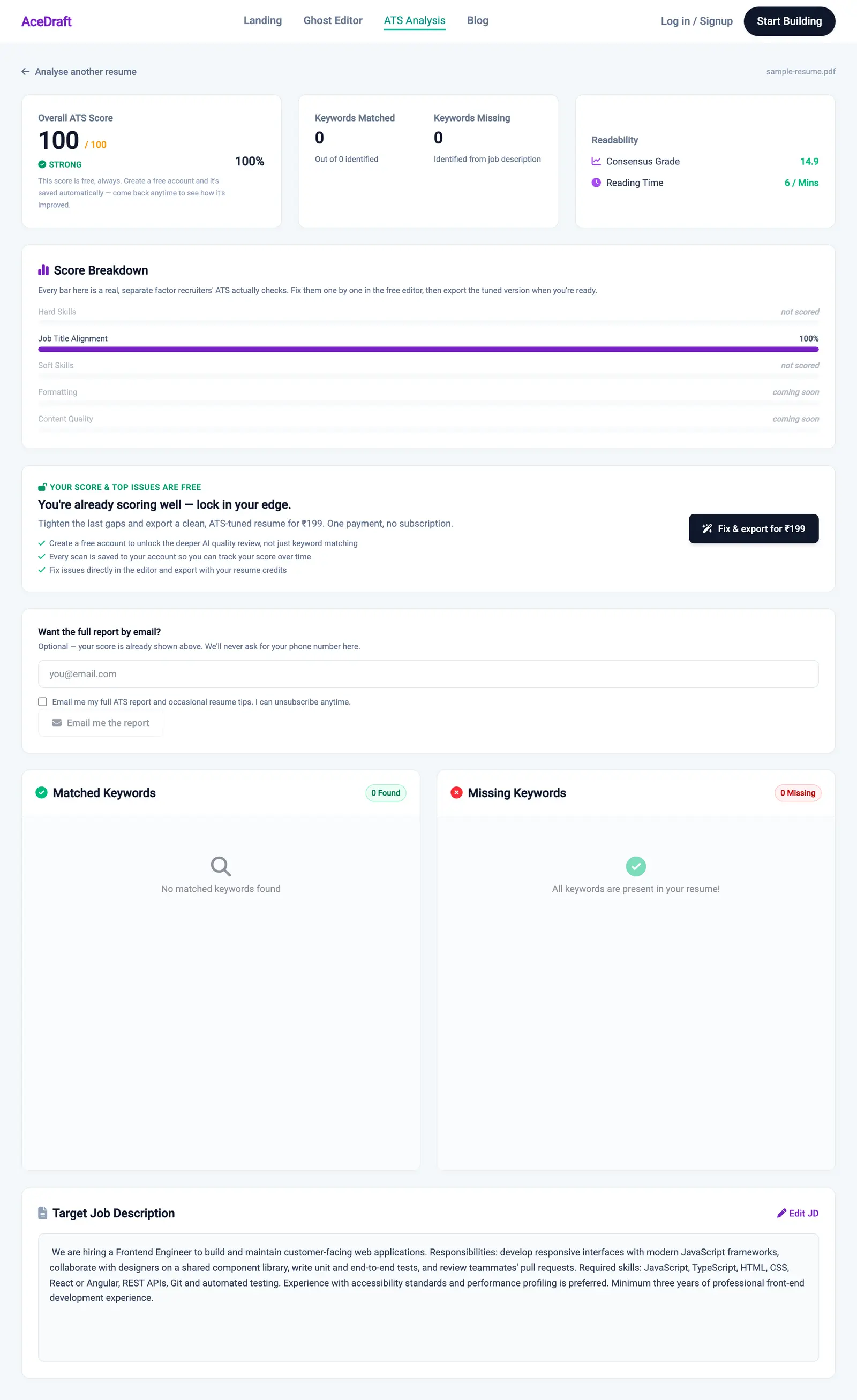 There is no Top Fixes section in this shot because no fixes were generated. That panel is where the fixes are meant to appear. I have not yet seen it render.
The one change worth making off a current scan is to the job title in your resume's headline: match the wording of the posting rather than your internal title. You can do that in the free resume editor without an account and re-scan.
How many free scans do you get?
Fifteen per day for signed-out visitors, and unlimited for any signed-in account, free or paying. I verified this against backend/src/app-functions/ats/scan-entitlement.ts on 2026-09-14 rather than by hitting the wall; anonymous use is counted against both the session and the IP, and the exhaustion message reads "You have used all 15 free ATS scans for today. Sign in for unlimited scans, or try again tomorrow." I only ran three scans in the capture session, so that message is what the code does, not something I watched happen.
What this doesn't do yet
- Hard Skills, Soft Skills, Formatting and Content Quality do not score. Four of five rows are decorative in the 2026-09-14 build.
- The overall score is not caveated when it rests on a single component, so a 100 can be meaningless.
- There is no benchmark. I have no data connecting any score to any hiring outcome, so I will not tell you what number is good.
- It does not tell you what Workday, Greenhouse, Lever, Taleo or iCIMS would do with your file. Different vendor, different model, and I have not tested against any of them.
- DOCX is not accepted. PDF under 10 MB or nothing.
Author's take
I wrote this scanner and I would not ship the current score display if I were starting the screen again today. The bug is not that components are missing, which is fine for an early build. It is that the composite hides the missing ones: normalising over available components means the fewer things we can measure, the more confident the headline looks. That is backwards.
What I think it should do is refuse to print a headline number at all until at least two components have scored, and show the row states instead. Until I change that, the Score Breakdown card is the honest part of the screen and the big number is not, so read from the bottom up.
Use this if you want a fast structural read on a PDF against one posting, you will read the Score Breakdown rows rather than the headline, and you will fill in the job title.
Skip this if you want a keyword gap list today, you need a number you can compare against another tool, or you are hoping for a verdict on how a named ATS handles your file.
Related
- The free resume editor, where you change the title wording and re-scan.
- Questions about scans and accounts.
- The enterprise scanner for placement teams running a batch.
Comments (1)
- Angelica·Sep 23, 2026
It makes sense now