The ATS Scan on the Enterprise Route: What Actually Differs
 Gowri Shanker·Sep 29, 2026
The ATS scan at /enterprise/atsanalysis is the same component as the public one, mounted behind an enterprise guard. Three things change, and two of them are rough: nothing in a student's side menu points at this page, and the scan runs over the same connection a signed-out visitor gets, daily cap included. I read the code on 20 September 2026, and everything below comes from that read.
Key takeaways
- The route only admits a session whose role is
enterprise_user. An admin or a moderator who types the URL is redirected to the enterprise dashboard. - Limitation: no menu item, button or link inside the enterprise portal navigates here. The URL is the only way in.
- Limitation: the scan socket looks for a consumer sign-in token, which an enterprise session does not have. So the student is metered as an anonymous caller, at 15 scans a day per browser session.
- The marketing header, the upsell block and the "email me the report" form are all suppressed on this mount.
- Nothing about this page touches your college's wallet, and the route does not check whether your batch is still active.
How a student reaches this page
By typing the address. The student side menu carries My Resumes, Chat and Settings, and no other enterprise page navigates to the scan, so a URL in the address bar or a bookmark is the whole story. If that reads like an oversight, it is one, and it is mine.
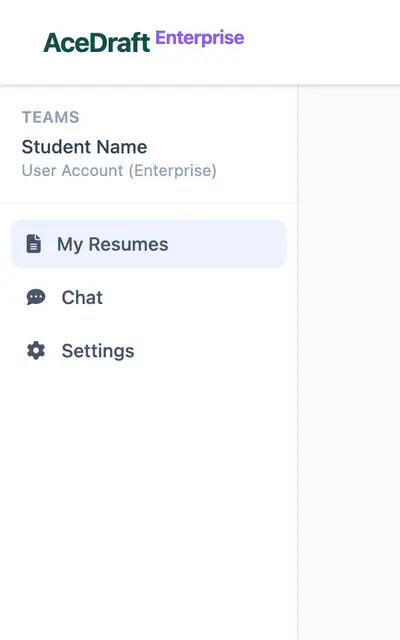 The student side menu has three entries, and none of them is the ATS page.
The guard on the route is the standard enterprise one with a role list of exactly enterprise_user. A signed-in session with the wrong role never renders the page: an admin or a moderator is sent to the enterprise dashboard instead, and a student who is not signed in at all lands on the enterprise sign-in page. Unlike the enterprise editor, this route carries no second guard for batch expiry, so an expired batch still gets you in.
What the enterprise mount hides
Four blocks are switched off by a check on the URL, and one button survives that probably should not.
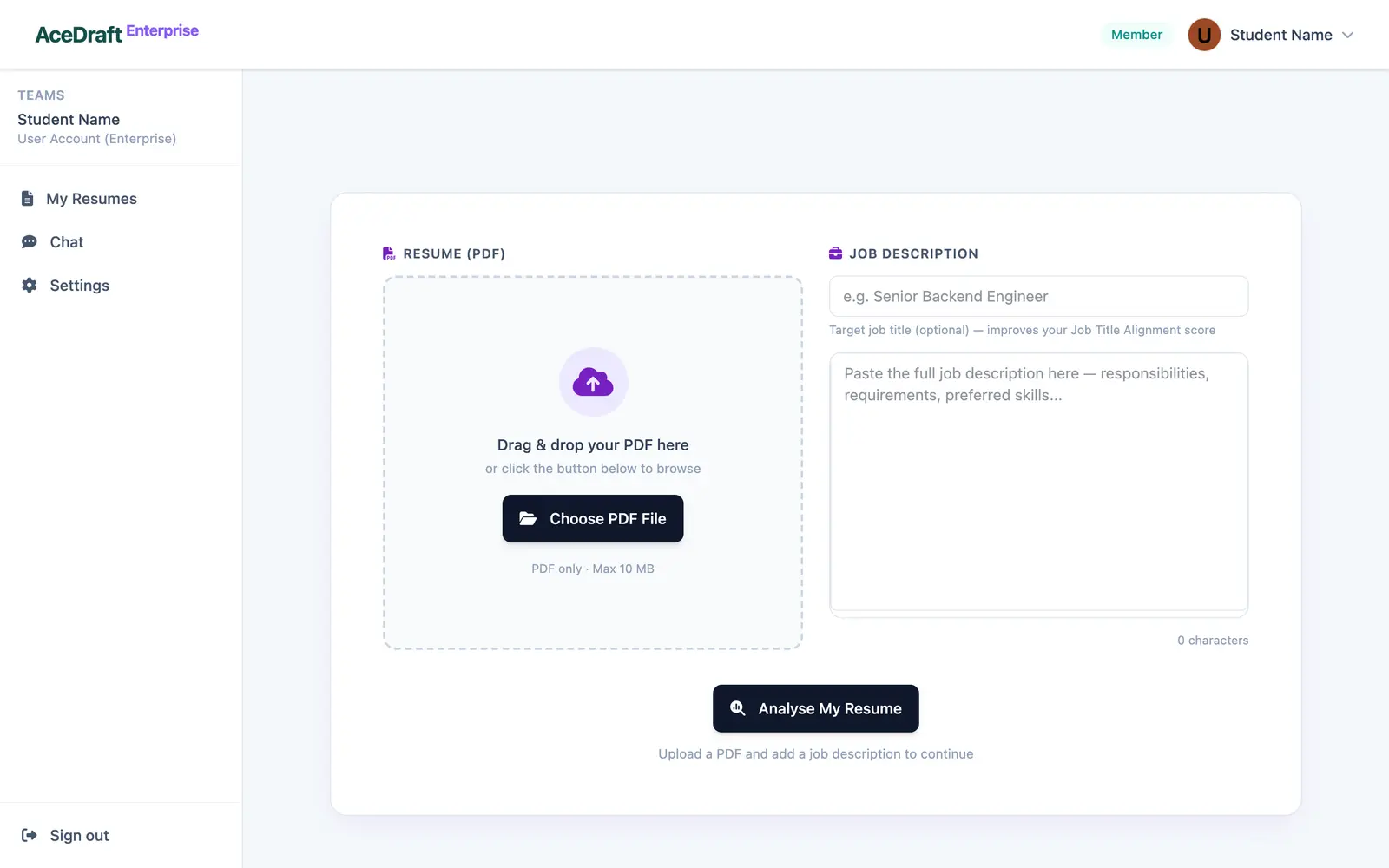 The upload form as a student sees it, inside the enterprise layout.
| Block | On /enterprise/atsanalysis |
| The public site's top navigation bar | Not rendered. The enterprise header and side menu wrap the page instead. |
| The "Free ATS Resume Checker" badge, page heading and intro line | Hidden. |
| The upsell section under the score, plus the four account-related notes above it: on the score card, under Score Breakdown, under Top Fixes and above the missing-keyword list | Hidden. |
| "Want the full report by email?" | Never rendered. The component marks the email step as already done when the URL contains /enterprise. |
| Fix & export | Still rendered, in a bar of its own, still labelled with the personal one-time export price. It routes to /enterprise/editor. |
That last row is the one I would change first. A student on a college plan is being shown a consumer price tag on the only button that leads anywhere. Where it drops you is covered by the posts on the enterprise editor route and on opening a saved resume by URL.
Gated or metered?
Metered, and metered as though you were signed out. The scoring runs over a WebSocket, and the client picks its connection by looking for a stored consumer sign-in token. An enterprise session stores its token under a different key, so that lookup comes back empty and the anonymous socket opens every time.
Two consequences. The server runs three stages for an anonymous caller instead of four, so the language-quality stage that a consumer account gets never runs here; your score comes from keyword matching and semantic coverage only. And the anonymous quota applies: 15 scans per day counted against your browser's stored session reference, plus a wider per-IP bucket, both resetting at midnight UTC. Denied attempts still count.
Hit the cap and the scan stops before it starts. You get the failure panel, headed "We couldn't complete this scan" with a Try again button under it, and one line in the message bar at the top: "You have used all 15 free ATS scans for today. Sign in for unlimited scans, or try again tomorrow." You are signed in. That message was written for the public page and nobody rewrote it for this one.
No credit is spent, no wallet is touched, and nothing on this route asks your college for anything. The separate post "Running an ATS Scan While Signed In: What's Different" covers what the fourth stage adds on a consumer account, and the free public scan has its own page; neither is restated here.
Where the result goes
Into a stored report with no owner. The finished report is saved server-side against the browser's session reference, and the user column is filled in only for the authenticated socket, which this mount never opens. Your resumes list does not show scans, and there is no in-app history to come back to.
So the page is the result. While it works you get "Analysing your resume..." over a spinner; when the last stage lands you get a short "ATS analysis complete." toast. Analyse another resume at the top clears the file, the job description and the whole report. So does Try again on the failure panel. Take a screenshot before you press either.
Before you upload
The uploader takes one PDF, up to 10 MB, and rejects anything else on the spot: a non-PDF pushes "Please upload a PDF file." and an oversized file pushes "That file is larger than the 10 MB limit." Both checks run on the file picker and on drag-and-drop.
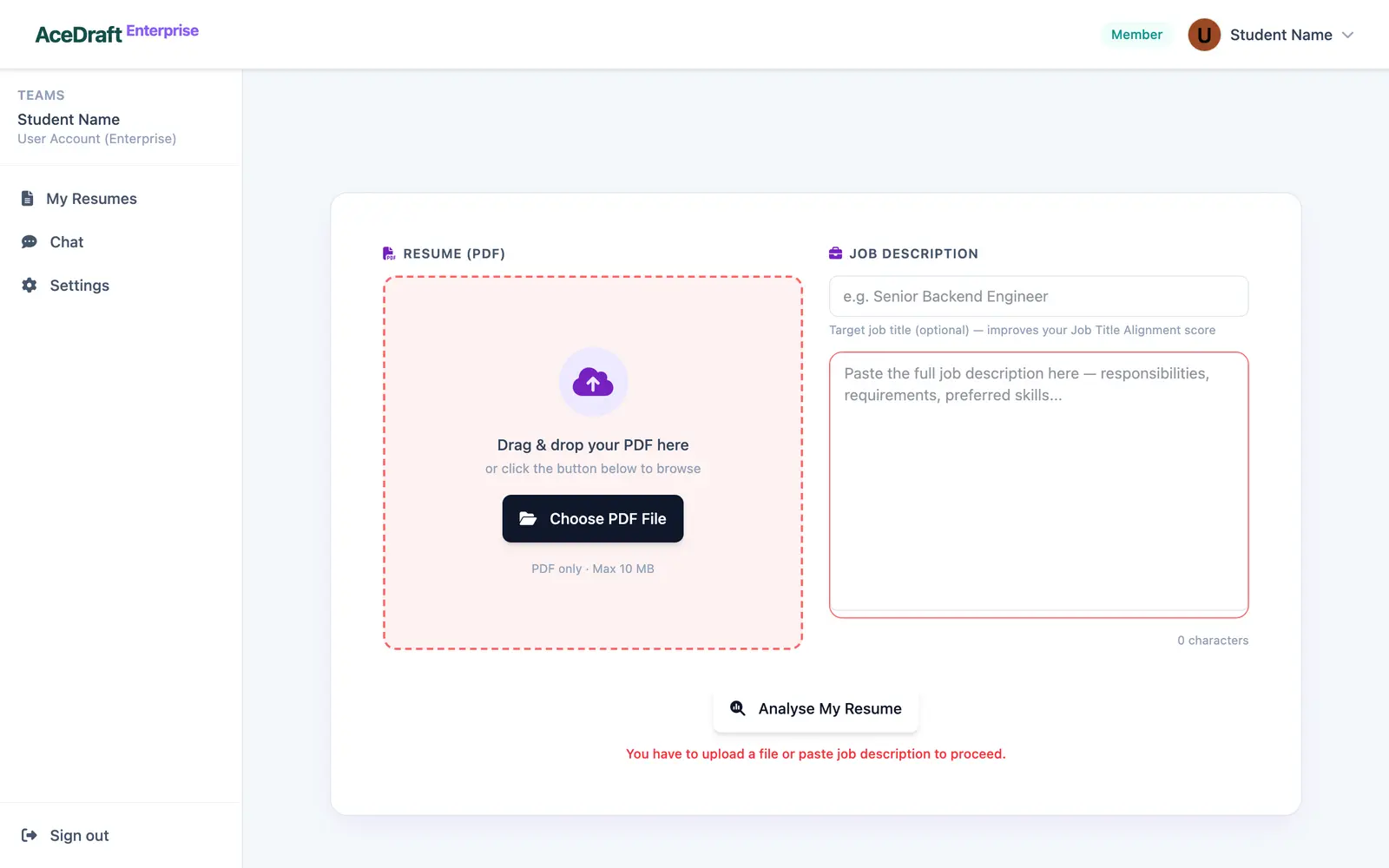 What the form shows if you press Analyse My Resume with nothing added.
The job description is required, the job title above it is not. Press Analyse My Resume with a piece missing and one line under the button says which one is missing.
Use this if you want a keyword gap read on a PDF you already have, against one specific posting, before you rebuild it in the enterprise editor.
Skip this if you expected the scan to be attached to your student account or visible to your college. On this route it is neither.
Related pages
Comments
No comments yet. Be the first to comment.