Exporting a Resume on the Enterprise Route: Credit, Wallet, Refusal
 Gowri Shanker·Sep 29, 2026
The export screen at /enterprise/exportresume is the consumer export page with the price, the preview and the marketing blocks hidden and a few lines of copy swapped. The part I am not happy about: five separate refusal causes come back to the student as the same sentence. I read the code on 20 September 2026, and everything below comes from that read.
Key takeaways
- Only a session whose role is
enterprise_userrenders this route. An admin or a moderator who types the URL is sent to the enterprise dashboard. - Download resume publishes the resume first. The server takes a batch free credit if one is left, and charges your organisation's wallet if none is.
- No price is rendered here, and the student is never asked to pay.
- Limitation: one refusal line covers five different server-side reasons.
- Limitation: the Select Format card offers PDF only, and the resume preview consumer users get below the fold is not rendered on this mount.
How does a student land on this page?
Two buttons lead here, both with a full page load rather than a router transition. In the enterprise editor, Save stages the form values, JSON resume and rendered HTML, saves a draft row, then sets the browser location to this route. On My Resumes, Download on a saved row fetches that resume, stages the same keys plus the row id, and does the same hard navigation.
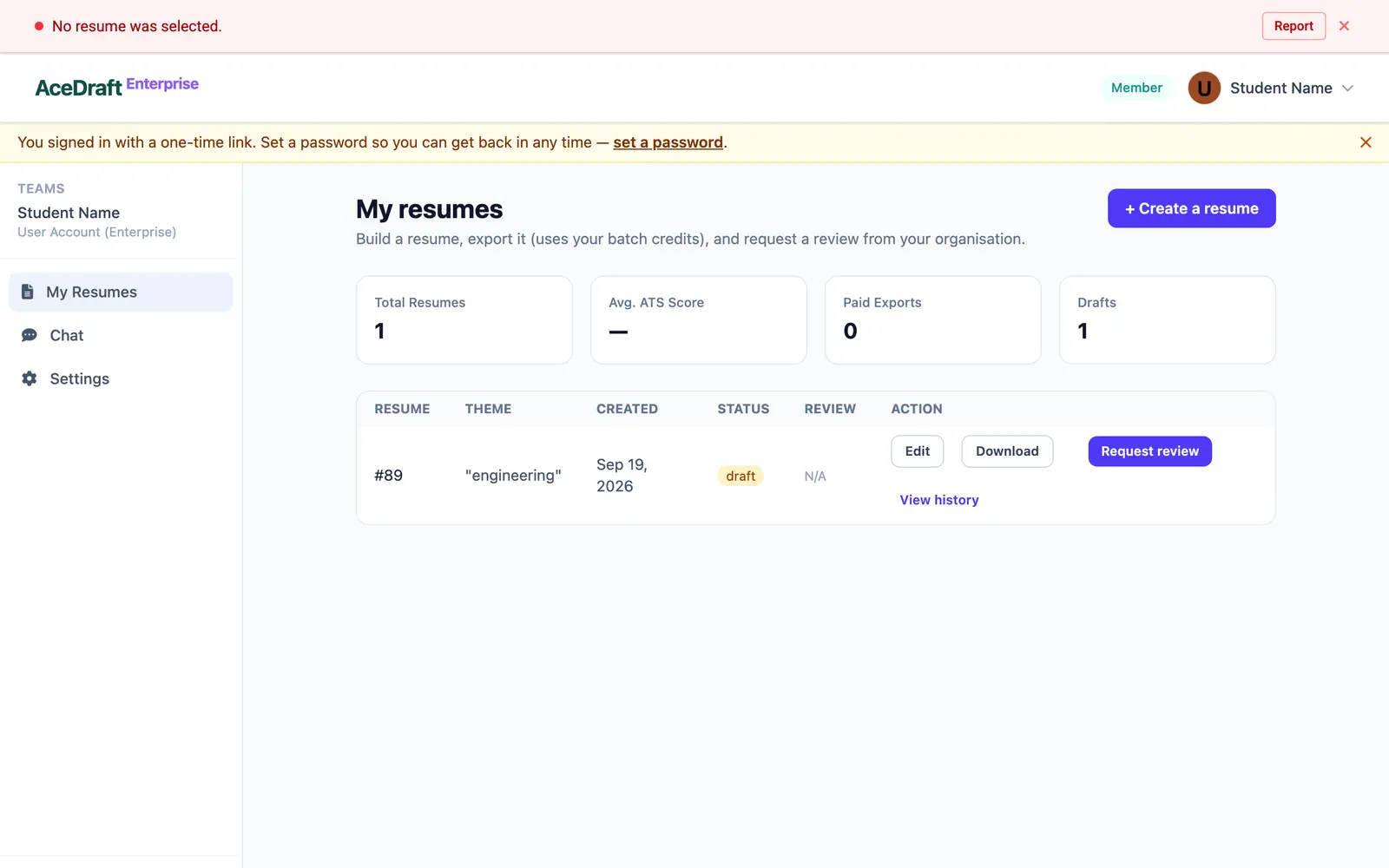 Opening the export page without picking a resume sends you back here with this message.
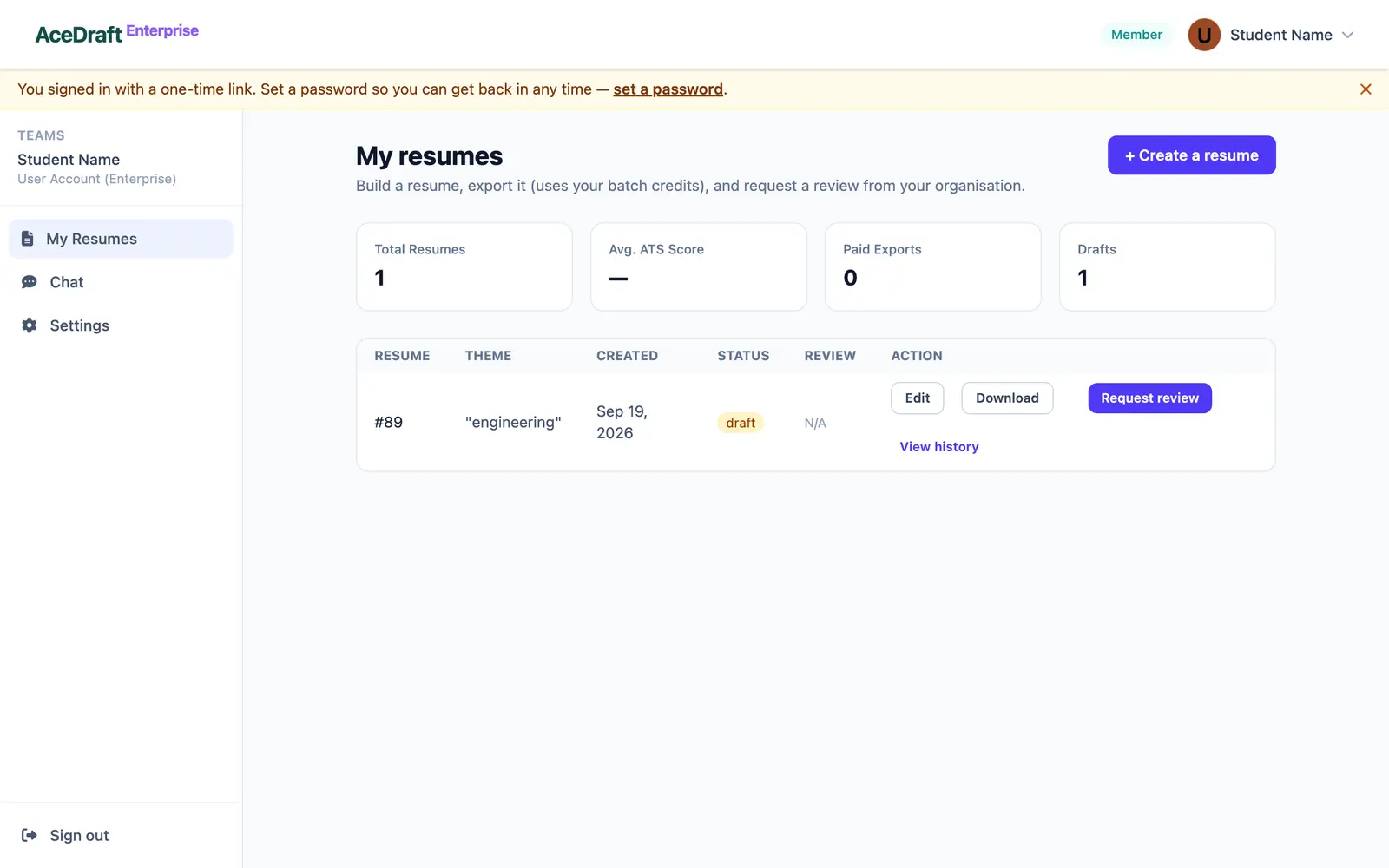 The Download button on a My Resumes row starts the export flow.
Arrive with nothing staged and the page refuses to render: blank stored HTML or empty form values push "No resume was selected." into the message bar and navigate to /enterprise/my-resumes. The enterprise editor route and opening a saved resume by id have their own posts.
What is on the screen before you press anything
A heading reading "Export your resume", a green "Ready for export" banner carrying your ATS score if one was stored, and a Select Format card with a single radio for PDF. The DOCX option is commented out in the template, so the choice is not a choice.
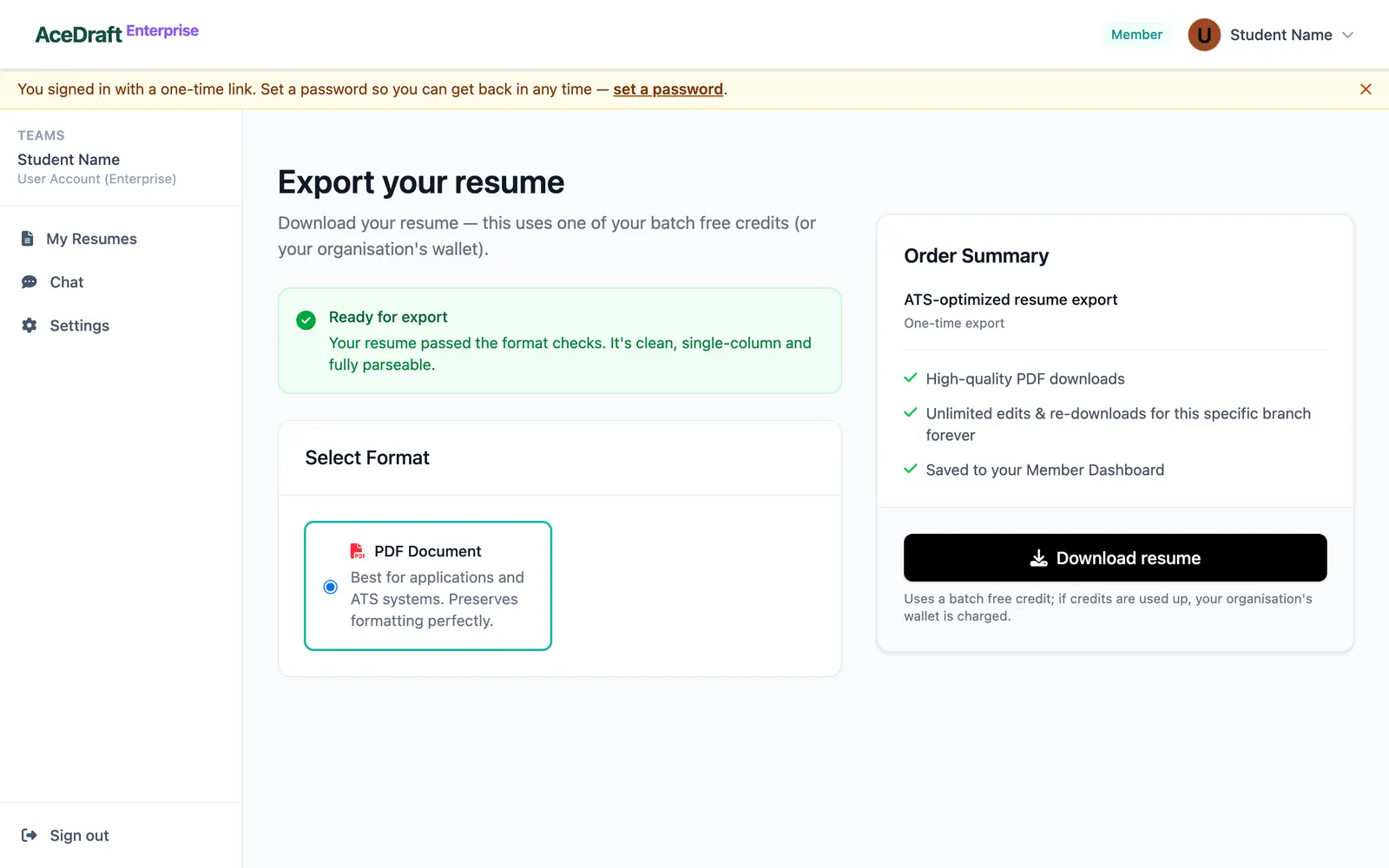 The export page before anything is pressed.
The Order Summary card sits on the right with its price element wrapped in a not-enterprise condition, so no amount appears. One grey line under the button states the rule: "Uses a batch free credit; if credits are used up, your organisation's wallet is charged." Rates and balances stay on the server.
Step by step, what the Download resume button does
It publishes before it downloads:
- A network check runs. Offline, the shared offline toast fires and the handler stops.
- Any previous refusal line clears and the global spinner overlay opens.
- The staged resume, your account email and the draft row id are posted to the save-resume endpoint with a published status.
- The server finds your user row, confirms your batch is active, then runs the export gate in one locked transaction.
- The spinner closes, the success panel replaces the view, the stored draft id is dropped and the download fires.
Two exports for the same organisation cannot race. The gate locks the batch membership row, then the organisation row, and either commits the deduction with its ledger entry or rolls both back.
Who gets charged, and what stops the export
| Server outcome | What the student sees |
| A free credit is left on the active batch: the used count rises by one and a zero-value ledger row is written. | The success panel. The wallet is untouched. |
| No credits left, wallet currency matches the batch rate currency, balance covers the rate: the wallet is debited, a charge row written, and the admin emailed if the balance drops under the organisation's low threshold. | The same success panel, with nothing said about the charge. |
| Refused for any of: no active batch row, no organisation row, exports locked for the organisation, wallet short of the rate, or a rate currency disagreeing with the wallet currency. | HTTP 402 and one sentence: "We hit a temporary issue processing your export. Our team has been notified — please try again shortly." |
| Batch expired. Checked before the gate, and it blocks draft saves too. | HTTP 403 and "Your batch access has expired. Renew your batch or migrate to a personal account in Settings to keep saving resumes." |
Either refusal lands twice: in red between the button and the grey rule line, and in the message bar with the status code in a badge. That bar shows the latest line only, with a "+N more" button beside it as soon as a second error is queued.
Author's take. The vague 402 is deliberate, because wording that reaches a student must not leak an organisation's wallet state, and the admin is emailed the real reason on every rejection. I still think the student deserves to know whether the fix is to wait or to ask their placement office.
Where the file actually goes
Nowhere we control. In a browser the resume HTML is written into an offscreen iframe and the print dialog opens once the page has painted, with the document title set to Resume- plus today's date, which is what Chrome offers as a filename. The desktop build uses a native save dialog and a "PDF Saved" toast. Nothing is uploaded in either path.
The success panel reads: "Your download starts automatically. You can re-download it anytime from My Resumes." Download PDF under it reprints from storage and calls no endpoint, so it costs nothing. Going back and pressing Download on the row restages the resume, and the next press of Download resume publishes again and runs the gate again.
Use this if you are a student on an active batch who wants the finished PDF on your own machine with the college covering it.
Skip this if you want a receipt, a price, or a reason for a refused export. None of the three exists here; the consumer post "Exporting Your Resume from AceDraft: PDF and What It Costs" covers the paid path.
Related pages
Comments
No comments yet. Be the first to comment.