Resume Parsing: What a Parser Extracts and How Ranking Works
 Gowri Shanker·Nov 16, 2026
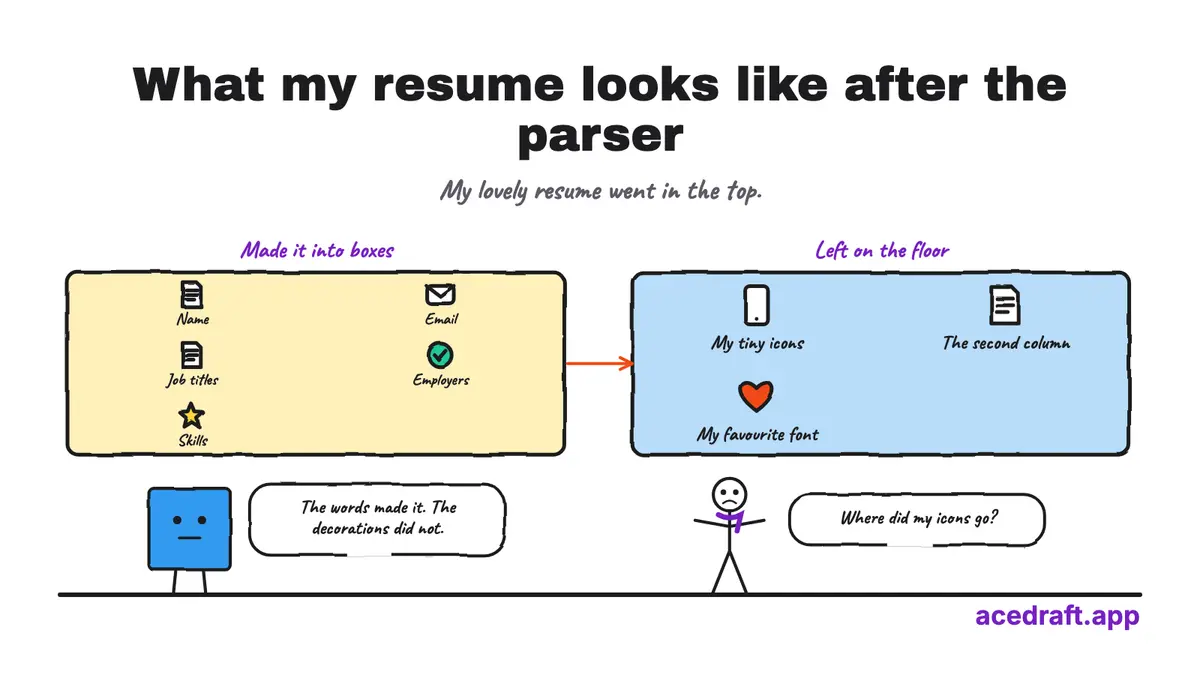
Resume parsing is the step where hiring software reads your resume file and copies what it finds into separate fields: your name, email, phone, location, job titles, employers, dates, education and skills. Recruiters then search and filter those fields. A resume parser's job is to get each piece of text into the right box.
Before you read on, two things that cost me something to say. I build AceDraft, a resume tool with a free scanner, so I have a reason to want you worried about parsers. And every one of the six sources behind this post is a page from a company that sells hiring software, parsing software, resume checkers or HR training. I looked for a university or independent source on how parsers handle resumes and didn't find one.
I also haven't pushed a resume through any employer's applicant tracking system for this post, so I won't tell you how a named system parses your file. If you want to check the parts I can show, check in presale page for our demo resume and you can verify our claims in the opensource tool we have mentioned there.
Key takeaways
- A parser copies your resume into fields (name, email, phone, location, job titles, employers, dates, education, skills), per ATS Verification (2026).
- Four of the six pages I read (ATS Verification, Recruiterflow, Kula, ResumeGeni, all 2026) say multiple columns can break parsing. Each of those four also names tables, text boxes or graphics.
- Ranking, as these pages describe it, is mostly recruiters searching and filtering the parsed fields, not a robot handing out a verdict.
- The famous "most resumes are auto-rejected" figure is a myth traced to a 2012 vendor sales pitch.
- Limitation: every source here sells something, and I haven't tested any named employer's system.
What's in this guide
- What is resume parsing?
- What does a resume parser pull out of my file, field by field?
- Where does parsing usually go wrong: dates, job titles, contact details or skills?
- Which layout elements do vendor pages say can break resume parsing?
- How do the parser's fields become a ranking or a match?
- Do recruiters see my original file or the parsed version?
- How can I check what a parser will make of my resume before I apply?
- What haven't I tested?
What is resume parsing?
Resume parsing is software turning your resume, which is a document made for human eyes, into structured data a database can store and search. ATS Verification put it plainly in a 7 June 2026 post: "Parsing software reads your file and attempts to identify structured fields."
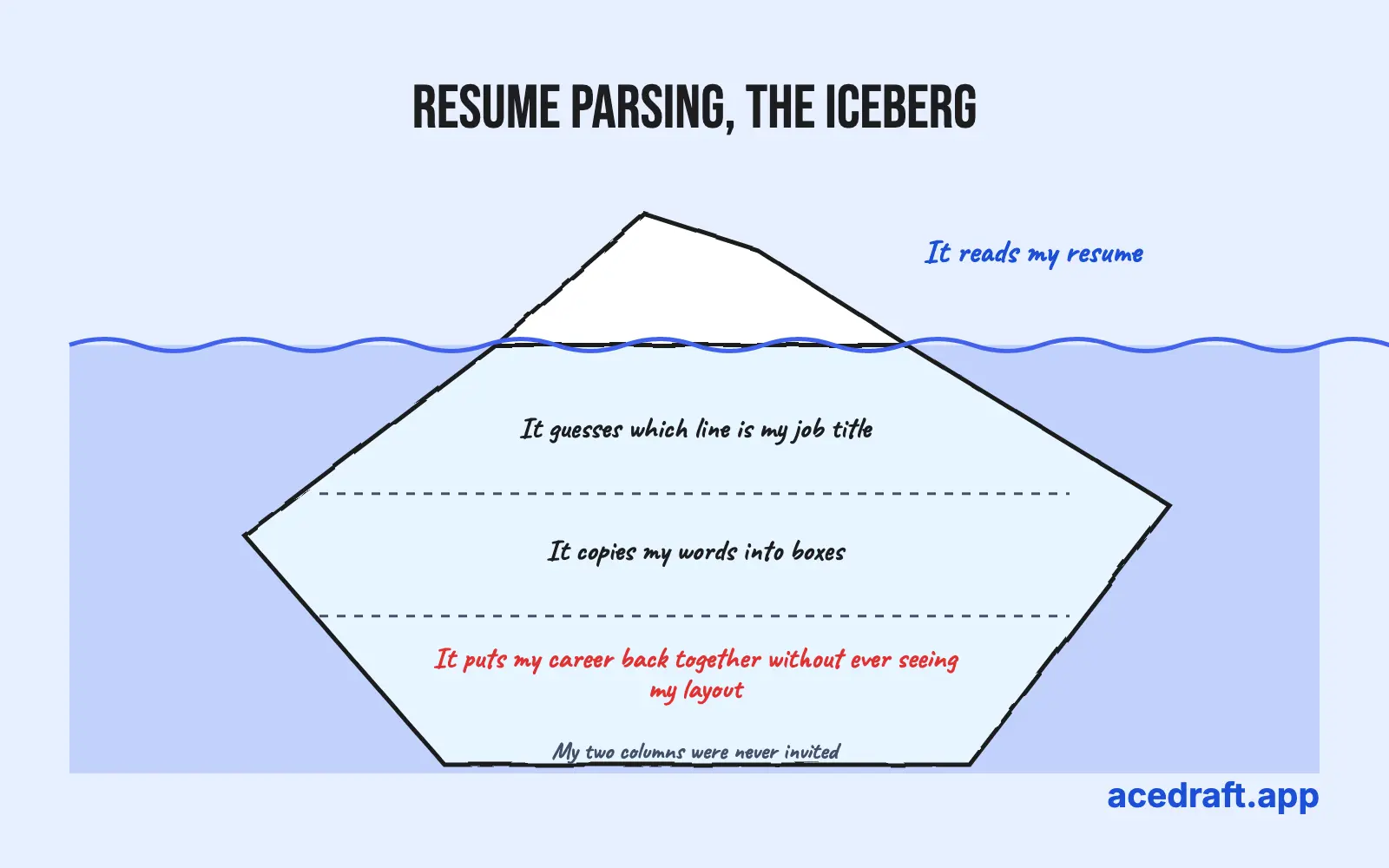
Look at the word "attempts". That word is doing honest work. The parser is guessing which line is your job title and which line is the company, based on clues in the file.
Kula, a company that sells an applicant tracking system, said it another way in a 30 July 2026 post: "Resume parsing doesn't just read resumes. It restructures them." I like that line because it explains the whole problem in two sentences. Your layout doesn't travel. Only the words do, and they get put back together by a program that never saw your intent.
If you're in the UK, you'll more often hear this called a CV parser. It's the same thing. When I checked OpenSEO keyword data on 16 November 2026, "cv parser" had 90 monthly UK searches against 40 for "resume parser", so UK readers aren't imagining it.
One more thing I noticed while researching. On 16 November 2026 I pulled the Google US results for "resume parser", and about 10 of the 15 results I logged were vendors, APIs, software review lists or developer code. Most of what ranks for that search is written for people who buy parsers. Very little is written for the person whose resume gets parsed. That's the gap this post tries to fill. For the wider picture of what an applicant tracking system is, I wrote what an ATS is and how it works separately.
What does a resume parser pull out of my file, field by field?
A resume parser pulls out your contact details, your work history and your skills as separate fields. ATS Verification (7 June 2026) lists them as "your name, email, phone, location, job titles, employers, employment dates, education, and skills."
To find where one section ends and the next begins, the parser looks at your headings. ResumeGeni, which sells a resume checker, wrote in a guide dated 28 February 2026 and updated 28 March 2026: "The parser identifies section boundaries using headers, whitespace patterns, and contextual clues." So a heading like "Experience" is a signpost. A heading like "Where I've Made Magic Happen" is a riddle.
Here's every field the sources name, with what the same sources say can go wrong. I put the problems in the same table on purpose, because a list of fields without the failure points is the vendor version of this table.
| Field | Named by | What the sources say can go wrong |
| Name, email, phone | ATS Verification (June 2026) | Contact details in a page header or footer, "which many parsers skip" (ATS Verification) |
| Location | ATS Verification; Recruiterflow (no date shown) | No source I read names a specific failure for location |
| Job titles | ATS Verification; Recruiterflow | Titles "can become disconnected from employers" (Kula, July 2026) |
| Employers | ATS Verification; Recruiterflow | A date next to one employer may be linked to another one (Recruiterflow) |
| Employment dates | ATS Verification | Dates "might be assigned to the wrong role" (Kula) |
| Education | ATS Verification | No source I read names a specific failure for education |
| Skills | ATS Verification; Recruiterflow | Skill bars and icons are "invisible to parsers" (ATS Verification) |
| Certifications | Recruiterflow | No source I read names a specific failure for certifications |
Three empty "what can go wrong" cells don't mean those fields are safe. They mean none of my six sources wrote about them. I'd rather leave a cell plain than fill it with a guess.
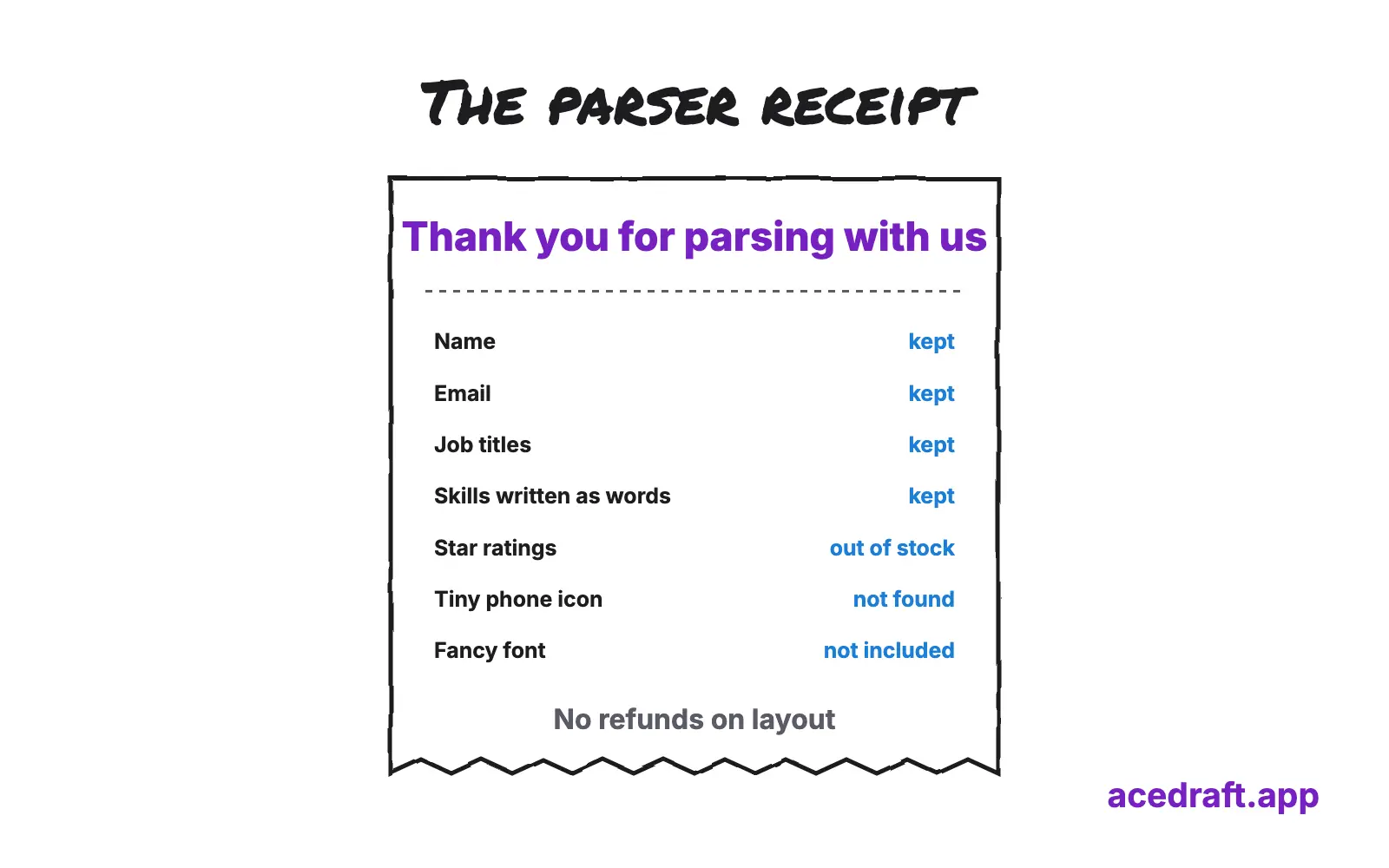
Notice what isn't in any list: your font or your little phone icon. A parser keeps text. Anything that only exists as a picture has nothing to give it.
Where does parsing usually go wrong: dates, job titles, contact details or skills?
Parsing usually goes wrong when the layout separates things that belong together, so a date, a job title, a contact line or a skill ends up in the wrong field or in no field at all. Each of the four fields in that heading has its own way of breaking, and the sources describe each one.
Dates
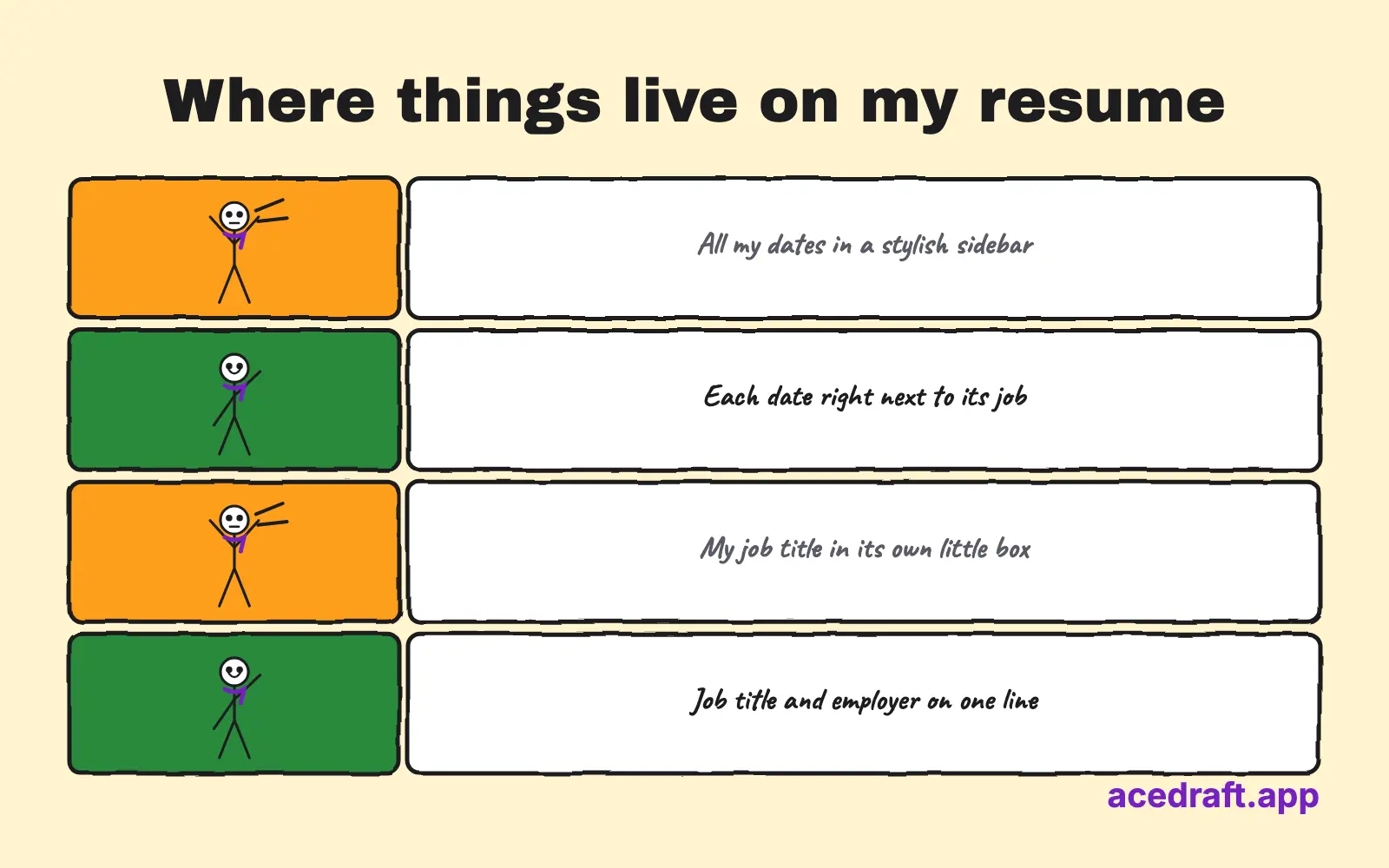
Dates break when they sit somewhere other than right beside the job they belong to. Recruiterflow's glossary page (no date shown, read 16 November 2026) gives the clearest example I found: "a date displayed next to one employer visually may be associated with another employer during extraction." The same page names sidebars as one of the layouts that change reading order. So the classic design move of putting all your dates down a side column is the exact case it warns about.
Kula (30 July 2026) describes the same failure from the other end: "Employment dates might be assigned to the wrong role." Two vendors, same warning. Keep each date on the same line as its job, or the line directly under it.
Job titles
A job title is only useful to a recruiter if it stays attached to the employer. Kula's same post says "job titles can become disconnected from employers". One way that can happen is a title in its own text box: ResumeGeni (March 2026) says text in text boxes is something "some parsers skip entirely", and ATS Verification (June 2026) says text boxes used for layout "scramble reading order".
Contact details
Contact details break when they live in the page header or footer. ATS Verification (7 June 2026) lists "Contact details placed in headers or footers, which many parsers skip" as a common problem. This is the one that annoys me most, because I understand why people do it. The header is the tidy place. Then your email may not be where a parser looks for it. Put your name, email and phone in the body of the page, at the top.
Skills
A row of five stars next to "Python" is a picture of a rating. ATS Verification (June 2026) says "Graphics, icons, skill bars, and photos" are "invisible to parsers", so a skill that's drawn instead of written gives the parser nothing. The word Python survives. The stars don't, and nor would any meaning you hoped they carried. Write the skill as a word, and if level matters, write that as a word too.
Here's the boring fix list, all of it straight from the four problems above:
- Plain section headings such as Experience, Education and Skills.
- Each date on the same line as its job, or right below it, never in a separate column.
- Job title and employer together.
- Skills as words. No bars, stars or icons standing in for them.
- Name, email and phone in the body of the page, not in the header or footer.
Which layout elements do vendor pages say can break resume parsing?
Vendor pages name six layout elements that can break resume parsing: multiple columns, tables, text boxes, graphics (icons, skill bars, photos), sidebars, and contact details in the page header or footer. Multiple columns are the only element all four layout-focused pages agree on. I marked what each page says on the sample resume below, read on 16 November 2026, with each page's own words next to the part of the page it warns about. If a page isn't quoted next to an element, it doesn't mention it. That isn't the same as the page saying it's safe.
The four pages are ATS Verification's guide (7 June 2026), Recruiterflow's resume-parsing glossary (no date shown), Kula's ATS parsing post (30 July 2026) and ResumeGeni's technical guide (28 February 2026, updated 28 March 2026). All four companies sell ATS, parser or resume-checking software. The other two sources in this post, AIHR and Parseur, don't list specific layout elements, so they aren't in the picture.
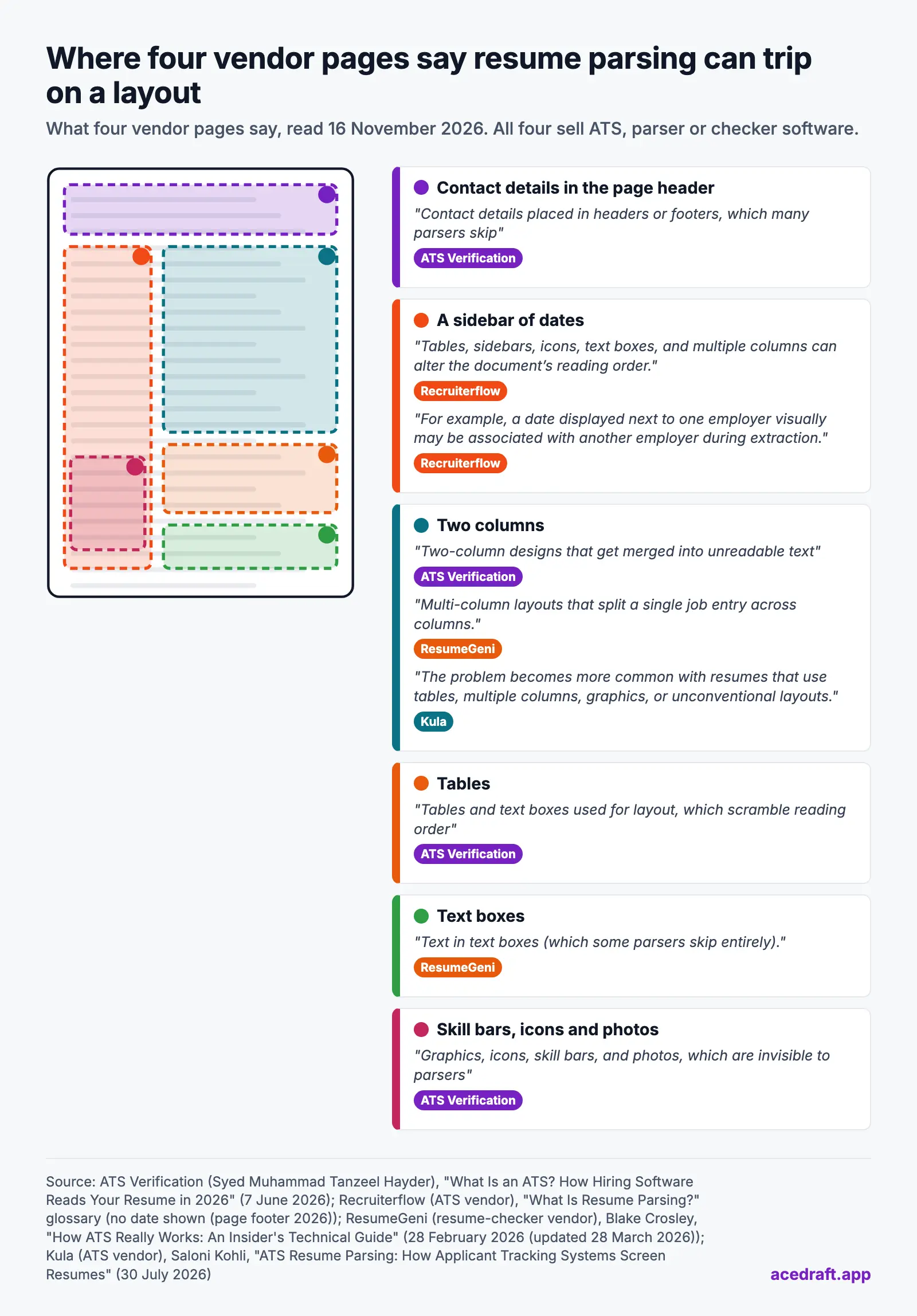
| Point | What the source says | Source |
| Contact details in the page header | "Contact details placed in headers or footers, which many parsers skip" | ATS Verification (Syed Muhammad Tanzeel Hayder), "What Is an ATS? How Hiring Software Reads Your Resume in 2026" |
| A sidebar of dates | "Tables, sidebars, icons, text boxes, and multiple columns can alter the document’s reading order." | Recruiterflow (ATS vendor), "What Is Resume Parsing?" glossary |
| A sidebar of dates | "For example, a date displayed next to one employer visually may be associated with another employer during extraction." | Recruiterflow (ATS vendor), "What Is Resume Parsing?" glossary |
| Two columns | "Two-column designs that get merged into unreadable text" | ATS Verification (Syed Muhammad Tanzeel Hayder), "What Is an ATS? How Hiring Software Reads Your Resume in 2026" |
| Two columns | "Multi-column layouts that split a single job entry across columns." | ResumeGeni (resume-checker vendor), Blake Crosley, "How ATS Really Works: An Insider's Technical Guide" |
| Two columns | "The problem becomes more common with resumes that use tables, multiple columns, graphics, or unconventional layouts." | Kula (ATS vendor), Saloni Kohli, "ATS Resume Parsing: How Applicant Tracking Systems Screen Resumes" |
| Tables | "Tables and text boxes used for layout, which scramble reading order" | ATS Verification (Syed Muhammad Tanzeel Hayder), "What Is an ATS? How Hiring Software Reads Your Resume in 2026" |
| Text boxes | "Text in text boxes (which some parsers skip entirely)." | ResumeGeni (resume-checker vendor), Blake Crosley, "How ATS Really Works: An Insider's Technical Guide" |
| Skill bars, icons and photos | "Graphics, icons, skill bars, and photos, which are invisible to parsers" | ATS Verification (Syed Muhammad Tanzeel Hayder), "What Is an ATS? How Hiring Software Reads Your Resume in 2026" |
Sources: ATS Verification (Syed Muhammad Tanzeel Hayder), "What Is an ATS? How Hiring Software Reads Your Resume in 2026" (7 June 2026); Recruiterflow (ATS vendor), "What Is Resume Parsing?" glossary (no date shown (page footer 2026)); ResumeGeni (resume-checker vendor), Blake Crosley, "How ATS Really Works: An Insider's Technical Guide" (28 February 2026 (updated 28 March 2026)); Kula (ATS vendor), Saloni Kohli, "ATS Resume Parsing: How Applicant Tracking Systems Screen Resumes" (30 July 2026).
A few things stand out to me in that picture. Columns are the one element every page names, and ResumeGeni explains why in a way that made sense to me as a developer: "Multi-column layouts that split a single job entry across columns." The parser reads one column, then the other, and your job gets cut in half.
Only one page, ATS Verification, mentions the header-and-footer contact problem. One source is thin. I still follow that advice, because the fix costs nothing, but I'd call it a single vendor's warning, not an agreed rule.
Parseur, a company that sells document-parsing software, sums up the pattern in an 8 September 2026 post without naming any element: "The more consistently formatted a resume, the higher the extraction accuracy." That's a vendor describing its own kind of product, so read it as a claim. It matches what the other four say, though.
I've written about tables and columns in more depth in ATS myths, checked, and about what makes a template safe in ATS resume templates. I won't repeat either here.
How do the parser's fields become a ranking or a match?
The parser's fields become a ranking when a recruiter searches or filters them, or when an employer sets up rules and scoring that run on them. Parsing fills the boxes; the searching and scoring happen afterwards, on those boxes.
ATS Verification (7 June 2026) gives a real-looking example of the searching: "Recruiters run searches like "project manager AND PMP AND Dubai" or filter by years of experience." Recruiterflow's glossary says recruiters "can search the imported candidates by employer, title, skill, location, certification". And AIHR, an HR training company, says on its glossary page (no date shown, read 16 November 2026): "Recruiters can search for candidates with keywords while the system groups résumés into job requisition folders."
Put those together and the picture is a spreadsheet with a search box. Each resume becomes a row. Each field is a column. A recruiter types "PMP" and the rows without it drop out of view.
This is where parsing and ranking meet. My own reading, not something a source measured: if your dates went to the wrong job, a filter on years of experience is counting the wrong numbers about you. If a skill was only a star rating, a keyword search for that skill has nothing to find. That's why I think getting the fields right matters more than any design choice.
Automated scoring exists too. Parseur (8 September 2026) says "Screening can be done manually by a recruiter or automated using rules and scoring," and adds "Without accurate parsing, automated screening cannot work reliably." Kula (30 July 2026) notes that "Older resume parsing software often blurred the line by using parsed keywords as the screening criteria." None of the six pages says how any particular employer's scoring works, and I can't tell you either.
If you want to work on the words a recruiter would search for, I wrote a separate guide on finding the right resume keywords.
So does the software reject resumes on its own?
Mostly not, by these sources' own account, though there's one real exception. ATS Verification (June 2026) says "An ATS is a filtering and ranking tool, not an automatic rejection machine." ResumeGeni (March 2026) puts it more bluntly: "ATS systems don't reject resumes. People do."
The exception is knockout questions. ATS Verification says "Some systems do use knockout questions", and ResumeGeni calls that "the one case where the ATS does perform an automated screen." As I understand them, those are questions on the application form that the employer sets up, so they run on your answers to the form rather than on how well your resume parsed.
Not every source is that relaxed. AIHR's glossary says "a qualified candidate whose résumé lacks the desired keywords may be overlooked or rejected." I'd read "overlooked" as the realistic risk: a search that doesn't find you.
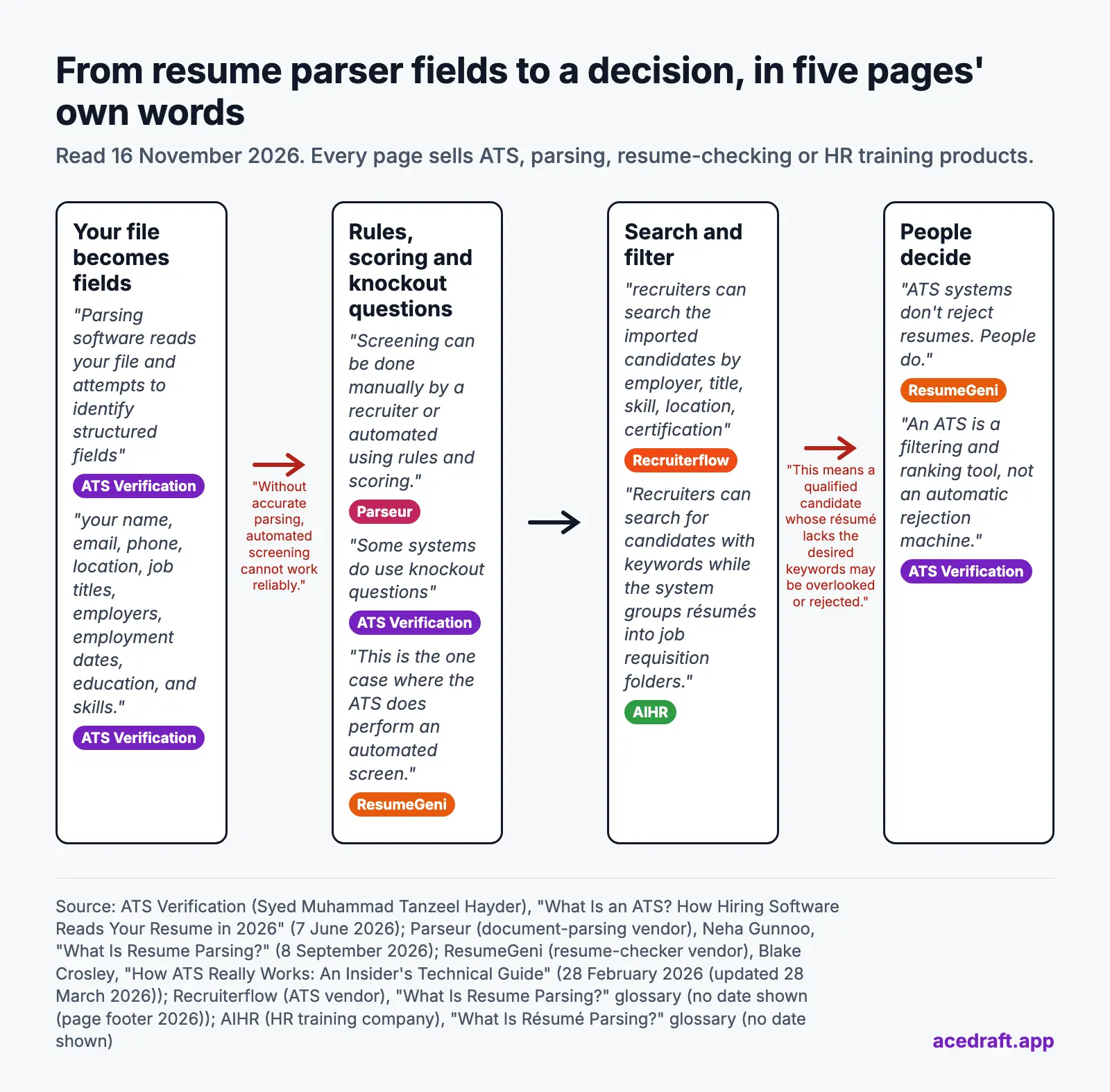
| Point | What the source says | Source |
| Your file becomes fields | "Parsing software reads your file and attempts to identify structured fields" | ATS Verification (Syed Muhammad Tanzeel Hayder), "What Is an ATS? How Hiring Software Reads Your Resume in 2026" |
| Your file becomes fields | "your name, email, phone, location, job titles, employers, employment dates, education, and skills." | ATS Verification (Syed Muhammad Tanzeel Hayder), "What Is an ATS? How Hiring Software Reads Your Resume in 2026" |
| Rules, scoring and knockout questions | "Screening can be done manually by a recruiter or automated using rules and scoring." | Parseur (document-parsing vendor), Neha Gunnoo, "What Is Resume Parsing?" |
| Rules, scoring and knockout questions | "Some systems do use knockout questions" | ATS Verification (Syed Muhammad Tanzeel Hayder), "What Is an ATS? How Hiring Software Reads Your Resume in 2026" |
| Rules, scoring and knockout questions | "This is the one case where the ATS does perform an automated screen." | ResumeGeni (resume-checker vendor), Blake Crosley, "How ATS Really Works: An Insider's Technical Guide" |
| Search and filter | "recruiters can search the imported candidates by employer, title, skill, location, certification" | Recruiterflow (ATS vendor), "What Is Resume Parsing?" glossary |
| Search and filter | "Recruiters can search for candidates with keywords while the system groups résumés into job requisition folders." | AIHR (HR training company), "What Is Résumé Parsing?" glossary |
| People decide | "ATS systems don't reject resumes. People do." | ResumeGeni (resume-checker vendor), Blake Crosley, "How ATS Really Works: An Insider's Technical Guide" |
| People decide | "An ATS is a filtering and ranking tool, not an automatic rejection machine." | ATS Verification (Syed Muhammad Tanzeel Hayder), "What Is an ATS? How Hiring Software Reads Your Resume in 2026" |
| Between parsing and screening | "Without accurate parsing, automated screening cannot work reliably." | Parseur (document-parsing vendor), Neha Gunnoo, "What Is Resume Parsing?" |
| Between search and people | "This means a qualified candidate whose résumé lacks the desired keywords may be overlooked or rejected." | AIHR (HR training company), "What Is Résumé Parsing?" glossary |
Sources: ATS Verification (Syed Muhammad Tanzeel Hayder), "What Is an ATS? How Hiring Software Reads Your Resume in 2026" (7 June 2026); Parseur (document-parsing vendor), Neha Gunnoo, "What Is Resume Parsing?" (8 September 2026); ResumeGeni (resume-checker vendor), Blake Crosley, "How ATS Really Works: An Insider's Technical Guide" (28 February 2026 (updated 28 March 2026)); Recruiterflow (ATS vendor), "What Is Resume Parsing?" glossary (no date shown (page footer 2026)); AIHR (HR training company), "What Is Résumé Parsing?" glossary (no date shown).
You've probably seen a scary percentage for how many resumes get thrown out by software before a human looks. That figure is a myth. It traces back to a 2012 vendor sales pitch, not a study, and I laid out the whole sourced trail in ATS myths, checked. I won't repeat the number here, because repeating it is how it keeps spreading.
Do recruiters see my original file or the parsed version?
None of the six sources I read says directly whether a recruiter opens your original file or only sees the parsed version, so I can't answer that with a source. I looked for it specifically, because it's the question I'd most want answered as a candidate.
What the sources do say is that the parsed version is what gets searched. Recruiterflow talks about searching "the imported candidates" by field. Kula says parsing "restructures" the resume. AIHR describes keyword searches and job folders. All of that runs on fields, not on your PDF.
So my working assumption, and it's only that, is both. The parsed fields decide whether a search finds you. Your original file may be what a person reads once it does. That means you can't pick one audience. The file has to parse cleanly and read well to a human, and luckily a plain, well-headed layout does both.
There's one case where the two really split. Recruiterflow warns: "A resume may look completely readable to a person while containing no machine-readable text." That's a resume saved as an image, or a scan. A person sees words. The parser sees a picture.
How can I check what a parser will make of my resume before I apply?
You can get a rough idea of what a parser will make of your resume by copying all the text out of your PDF and pasting it into a plain text editor, then reading what comes out. It's a rough stand-in for a parser: it shows whether your text exists and roughly what order it comes out in.
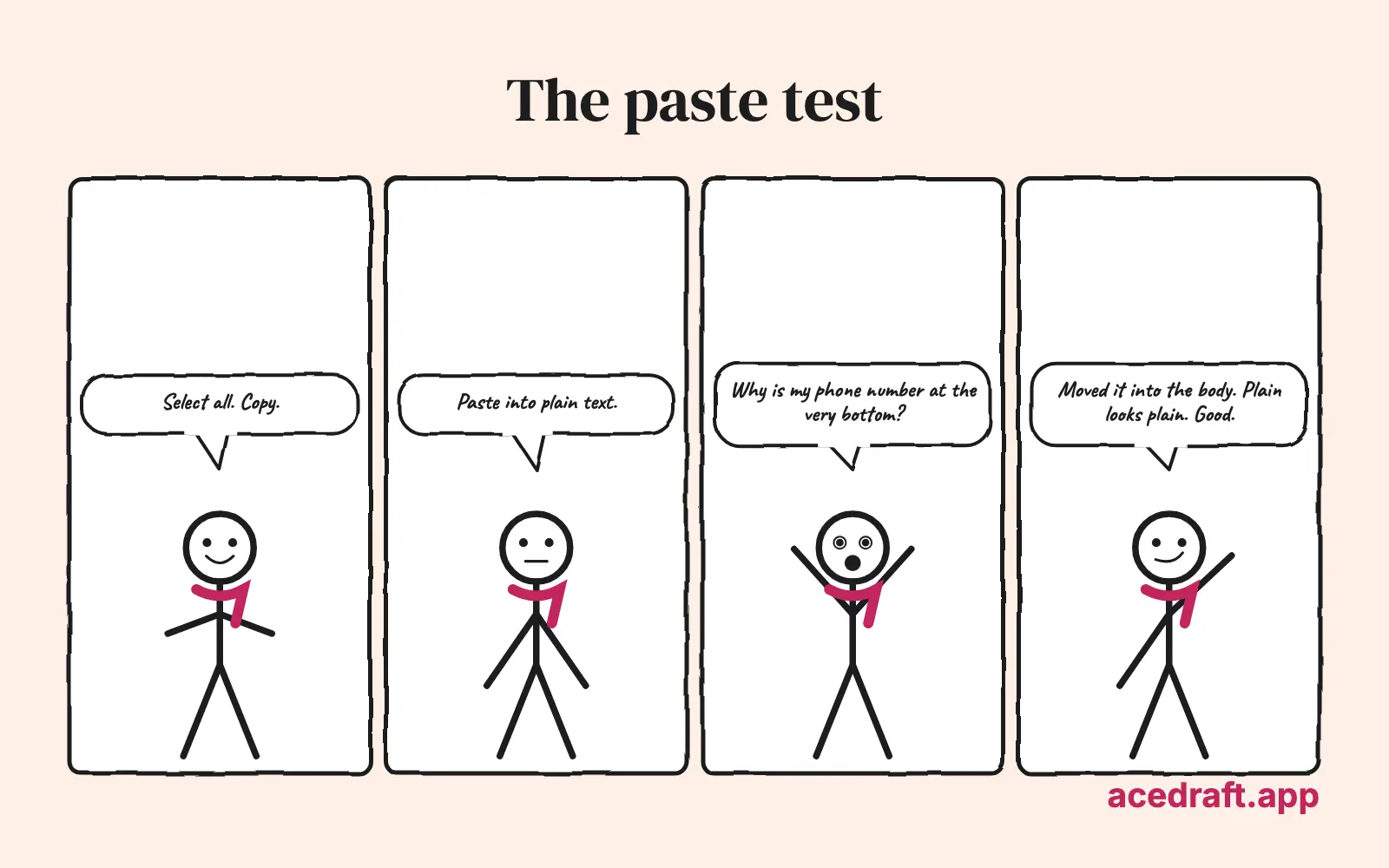
Here's how I'd do it, step by step:
- Open your resume PDF and try to select a line of text. If you can't select anything, your file is probably an image, which is the case Recruiterflow warns about. Rebuild it from a text document.
- Select all, copy, and paste into a plain text editor such as Notepad or TextEdit in plain-text mode.
- Find your name, email and phone. If they turn up at the bottom, somewhere odd, or not at all, they were probably in a header or footer. Move them into the body.
- Read your work history. Each job title, employer and date should come out together. If all your dates arrive in one clump, they were in a separate column or sidebar.
- Look for your skills as words. Stars and bars won't paste. If a skill only existed as a picture, write it out.
- Check your headings come out as plain words, so the section boundaries ResumeGeni describes are easy to spot.
A copy-paste reading order isn't the same as a parser's. Some parsers will do better than your text editor and some may do worse. I use it because it's free and it catches the big problems the sources describe. My post on how an ATS works has the same notepad check from a different angle.
The paste test can't tell you whether your words match the job you're applying for. That's the one place I'd point you at the scanner I built: the free ATS scan takes your resume PDF (up to 10 MB) and a pasted job description, runs a Cloudflare Turnstile check, and gives you an ATS score, the job description keywords your resume uses and misses, a readability check, a score breakdown and a short list of top issues. You can run up to 15 scans a day without an account. It's AceDraft's own scoring against one job description. It isn't any employer's ATS, it has no access to one, its score hasn't been verified against any named system, and it doesn't show you a field-by-field view of what a parser extracted. For that, the paste test is still the better check. If you do scan, how to read the scan score explains what the number means.
Author's take. The paste test is the least impressive check in this post, and it's the one I'd run first. A resume can look great as a PDF and still come out as a jumble, with the phone number at the bottom and the dates in a clump. The fix almost always makes the page plainer. Plain looks plain. I've made my peace with that.
What haven't I tested?
I haven't tested any named employer's applicant tracking system for this post, and every source I used sells something. Here's the full list of what I didn't do or couldn't find:
- I haven't submitted a resume through any employer's ATS and recorded how it parsed. Nothing in this post says how a named system handles your file.
- All six sources are vendor or training-company pages: ATS Verification, Recruiterflow, Kula, ResumeGeni, AIHR and Parseur. Each sells ATS, parsing, resume-checking or HR training products.
- I found no university or independent source on how parsers handle resume layouts. Lever's help centre page on resume parsing ranked in my search, but when it was read for this post it returned only an error, so I couldn't use it.
- Vendors make parsing accuracy claims in their marketing. I haven't verified any of them, so I've quoted none.
- The plain-text paste test is my own rough check, not a parser.
- Two of the sources (Recruiterflow and AIHR) show no publication date. I've marked them with the date they were read instead.
If you want to see for yourself rather than take my word, check in presale page for our demo resume and you can verify our claims in the opensource tool we have mentioned there. That open-source tool simulates several well-known ATS products. It's a simulation, it isn't made by or connected to any of them, and I haven't recorded any scores from it here.
Change your layout if your resume has two columns, a sidebar of dates, a job title in a text box, skill bars, or your email in the page header. Each of those is on at least one of the vendor pages in this post, and the fixes cost you nothing but a bit of style.
Leave it alone if the plain-text paste comes out in order with every date beside its job and your contact details at the top. A parser has what it needs, and your time is better spent on the words.
Sources
- ATS Verification, "What Is an ATS? How Hiring Software Reads Your Resume in 2026" by Syed Muhammad Tanzeel Hayder, 7 June 2026, read 16 November 2026. Vendor blog.
- Recruiterflow, "What Is Resume Parsing?" glossary, no date shown (page footer 2026), read 16 November 2026. ATS vendor.
- Kula, "ATS Resume Parsing: How Applicant Tracking Systems Screen Resumes" by Saloni Kohli, 30 July 2026, read 16 November 2026. ATS vendor.
- ResumeGeni, "How ATS Really Works: An Insider's Technical Guide" by Blake Crosley, 28 February 2026, updated 28 March 2026, read 16 November 2026. Resume-checker vendor.
- AIHR, "What Is Résumé Parsing?" glossary, no date shown, read 16 November 2026. HR training company.
- Parseur, "What Is Resume Parsing?" by Neha Gunnoo, 8 September 2026, read 16 November 2026. Document-parsing vendor.
- OpenSEO keyword and Google US results data for "resume parser" and "cv parser", checked 16 November 2026.
Frequently asked questions
What is resume parsing?
What does a resume parser extract from a resume?
Can a resume parser read a two-column resume?
Do ATS systems automatically reject resumes?
What is a CV parser?
Do recruiters see my original resume or the parsed version?
How can I check how my resume will be parsed?
Does the AceDraft ATS scan show what a parser extracted?
Is the AceDraft resume export free?
Share this post
Know someone job-hunting? Send it their way.
Comments
No comments yet. Be the first to comment.