Account Settings: Your Profile, Your Data, and Deleting Your Account
 Gowri Shanker·Sep 29, 2026
If you came here to get a copy of your data or to leave, both controls sit at the bottom of the Settings page. Download my data does what it says. Delete Account is where I have to be careful: the page calls it a permanent deletion of everything, and the code I read anonymises your account record instead. I'll show you exactly what it does.
Key takeaways
- Settings has three cards on a Google-signed-in account: Profile Information, Billing & Usage, and Data & Privacy Controls.
- First name, last name and bio save together. Your email can't be edited here.
- Download my data gives you one JSON file with your account, payments, saved resumes and export records.
- Limitation: in the code I read, Delete Account anonymises your account record and leaves your saved resumes and payment rows alone.
Prerequisites. You need to be signed in with Google. There's no AceDraft password to change on a personal account, and I come back to that below.
Where do I change my name and bio?
In the Profile Information card at the top. It has First Name, Last Name and a Bio box, and one purple Save Changes button saves all three together. The bio is a rich-text editor, with a toolbar for bold, lists, links and colours.
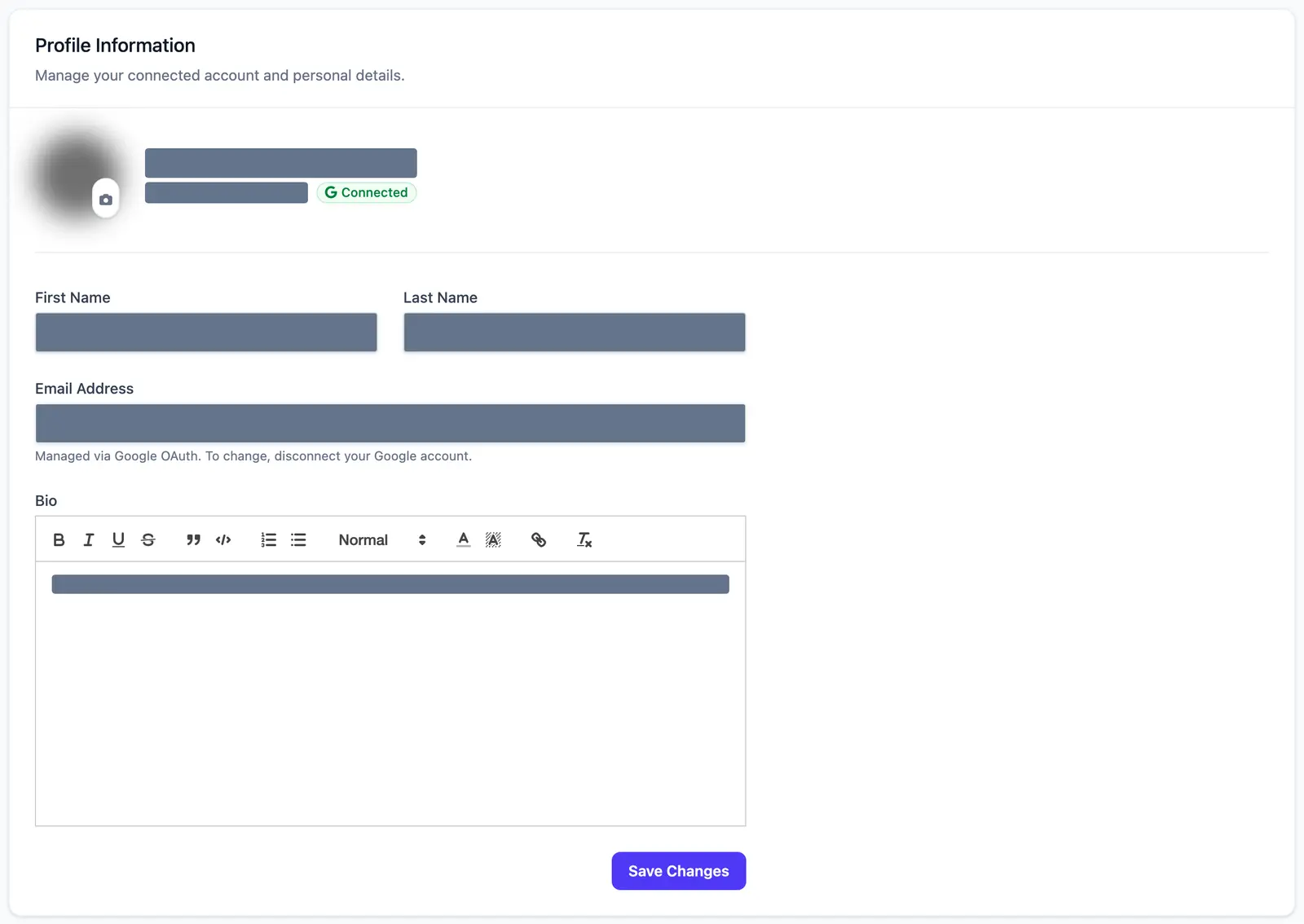 Name, email, avatar and bio text are masked in this capture, which is a real account.
The email field is locked. The note under it says the address is managed through Google, and that to change it you disconnect your Google account. This page has no button for that.
What does the Billing & Usage card show?
Three read-only tiles: Total Exports, Total Spent and Last Export, with a plan label under the last one. The subtitle says “Manage your payment methods and view export history.” The card doesn't have a payment-method list or an invoice table, so the subtitle promises more than the card delivers.
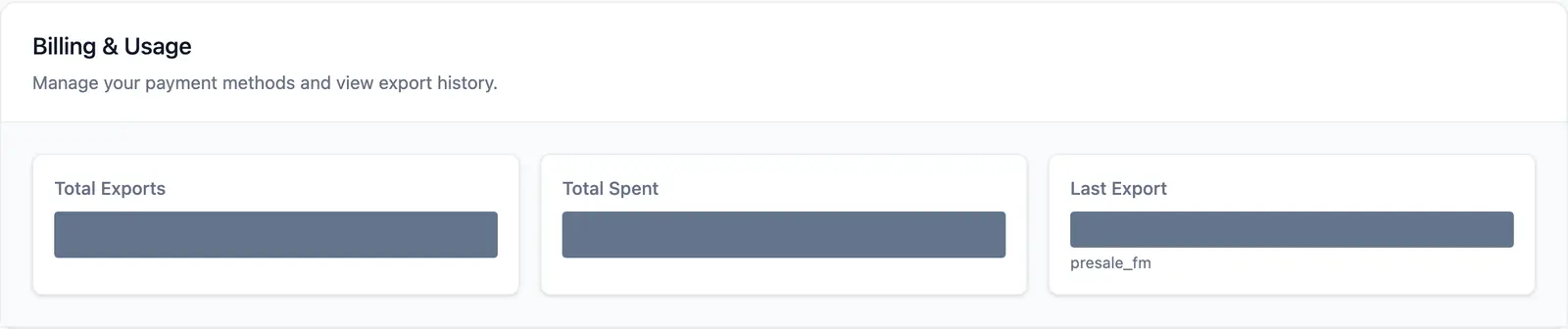 The values are blacked out here on purpose. They belong to one test account.
How do I download my data?
Press Download my data in the Data & Privacy Controls card. On 16 September 2026 I pressed it, and the browser saved a JSON file named acedraft-data-export- followed by the date, with the message “Your data export has downloaded.” I looked at the file's top-level section names only. They were user, account, payments, history and exportLogs.
From the code, history holds your saved resumes in full, as stored. So the file has your account details, your payment records and your resumes in one place.
Heads up. Treat that file like a password. Don't post it, email it to a stranger or upload it to a public tool.
What happens when I press Delete Account?
You get a confirmation box in place, not a pop-up, that reads “Are you sure? This will anonymize your account and cannot be undone.” On 16 September 2026 I opened that box and pressed Cancel. I have never pressed the final red button, so everything from here on is from the code I read on 19 September 2026, not from watching it run.
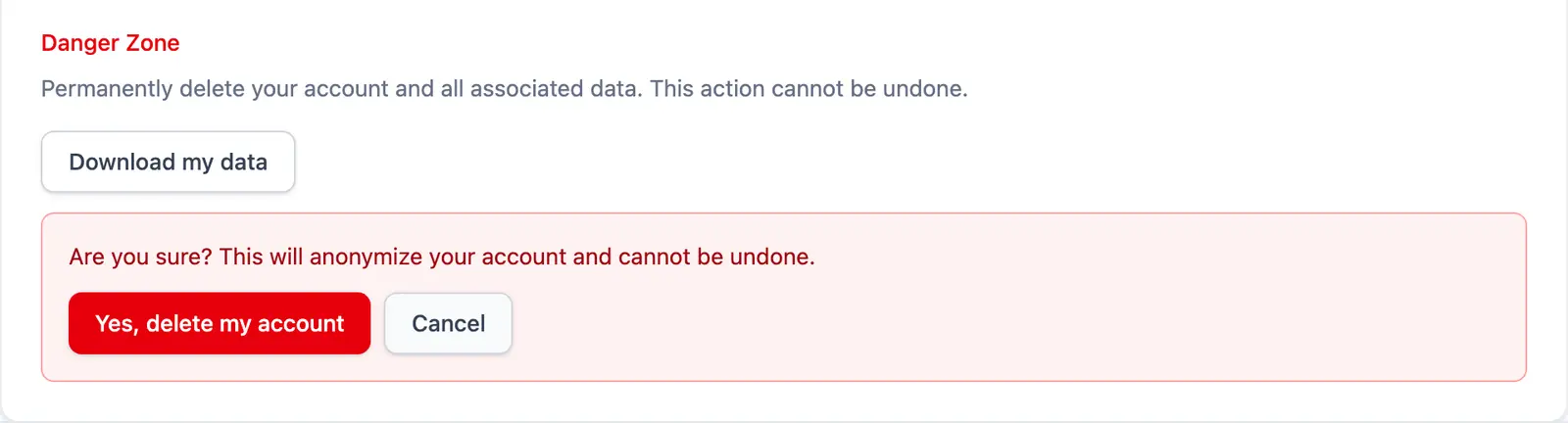 The line above the buttons says “delete”. The box below it says “anonymize”.
Those two words don't mean the same thing, and the code does the second one. Pressing the red button downloads your data export automatically, then blanks these fields on your account record: your email is swapped for a placeholder, and your names, photo link, Google IDs, refresh and access tokens and password fields are cleared. Your payment records are kept, on purpose, for compliance. The code that does this doesn't touch your saved resumes. Then you're signed out and sent to the home page.
I found no undo. I can't tell you whether your saved resumes are removed some other way, so I won't say they are gone.
Can I change my password?
No, because you don't have one. A personal account signs in with Google. On 16 September 2026 I checked the page for a Security card that lets you set a password, and it wasn't there. The code agrees: that card depends on a business-portal sign-in that a Google session can't have. This same Settings page serves the business portal too, which is why the code has cards you'll never see.
What doesn't Settings do yet?
| You might expect | What's there |
| Change your email | Not here. The field is locked and points you to Google. |
| Change your password | There's no password on a Google account. |
| Manage payment methods | The subtitle says so. The card shows three read-only tiles. |
| Delete everything | Delete Account anonymises your account record. In the code I read, saved resumes and payment rows stay. |
| Know where your bio appears | I haven't traced that, so I'm not going to guess. |
Author's take. The page says “permanently delete” and the button anonymises. I'd want those to say the same thing before anyone relies on either. Until they do, I'd rather describe the button by what it does than by what it's labelled.
Use this if you want to update your name and bio, get a copy of your data, or find out what Delete Account actually does before you press it.
Skip this if you're hunting for a password, email or payment-method setting. None of them are on this page.
For how AceDraft charges in the first place, read a resume builder without a subscription.
Comments
No comments yet. Be the first to comment.