Reopening a Saved Resume in the AceDraft Editor
 Gowri Shanker·Sep 29, 2026
This is a companion note, not a tutorial. The fields, sections and templates are covered in the guest editor tutorial, and opening a saved resume runs that same editor. What changes is that your saved work is already in the form, and that Save doesn't do what its name suggests.
How do I reopen a resume I already saved?
Press Open in Editor on that resume's own page. That's the way into the editor with a saved resume in it, and the button sits in a row of three.
 The middle one is the way in. I built this row and still reach for the red button first.
What comes back when the editor opens?
Your saved answers, already filled in. On 16 September 2026 I checked the running app: the experience level, the job description, the desired position, the summary and each saved job entry all came back populated. Nothing to re-enter.
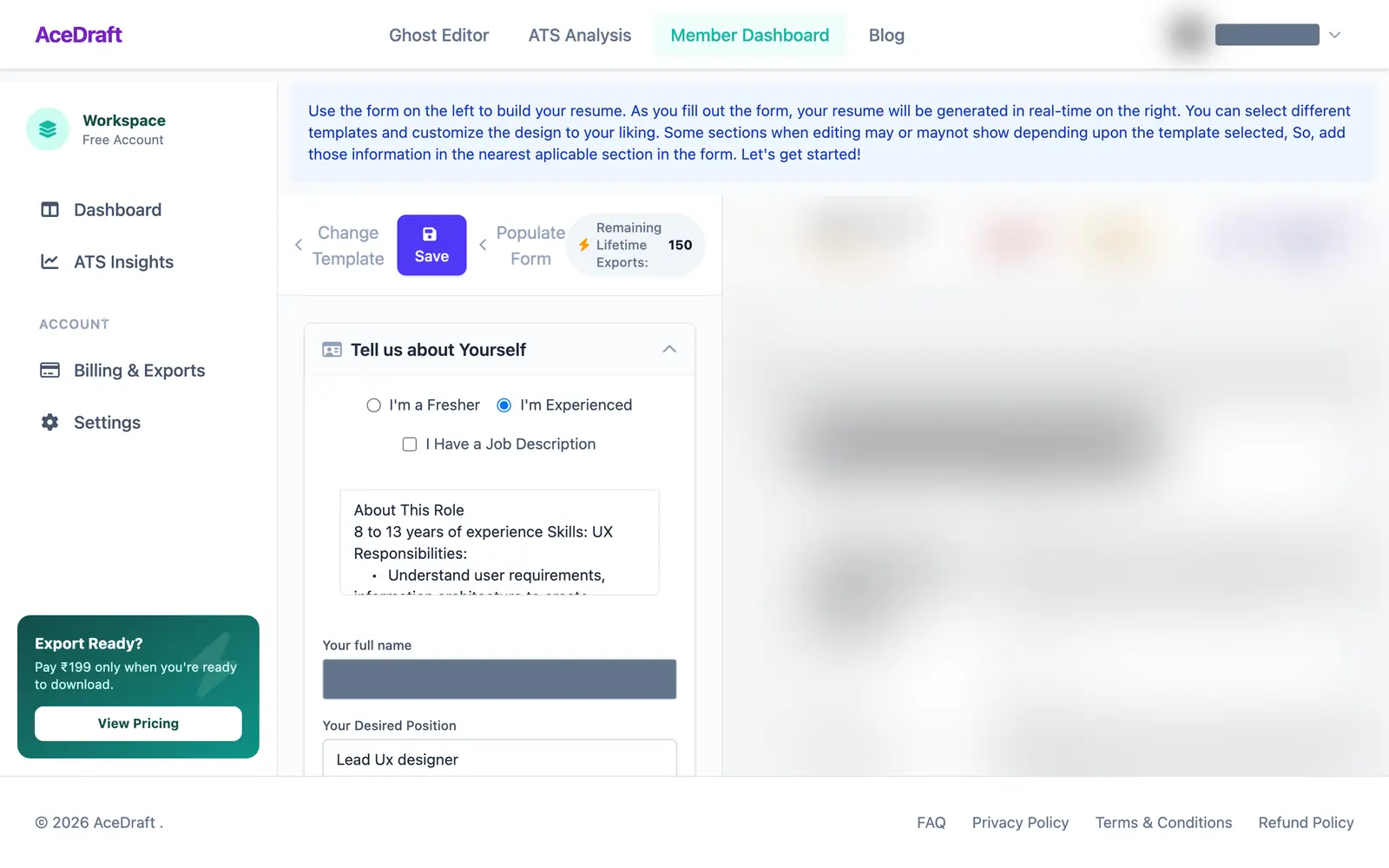 The name field and preview pane are blurred because this is a real account.
What happens when I press Save?
Save checks the required fields first. If they're filled in, it saves your edit as a new resume, leaves the one you opened as it was, and sends you to the export page.
I know this from the code, not from watching it run. On 19 September 2026 I read the save path: an edited resume goes into your history as a new record with no ID attached, so nothing is written over the original. The page moves on to export even if that write fails, so after your first save, count your list yourself.
| Behaviour | Where I stand on it |
| Pressing Save | Required fields filled in: a new resume, original untouched. Read in code on 19 September 2026, not run. |
| After Save | Sends you to the export page, even if the write failed. Same caveat. |
| Starting from a Paid resume | The editor shows no badge either way. In the code the new copy is always stored as a Draft, so the Paid one stays and a Draft joins it. |
Use this if you want to change a resume you already built and don't mind the edit landing as a second one.
Skip this if you wanted the editor walkthrough. That's the other post.
Comments
No comments yet. Be the first to comment.